
Workflow playbook
Sales teams7 steps8 toolsSales Pipeline AI Workflow
A practical multi-step workflow for researching accounts, drafting outreach, managing CRM hygiene, and advancing deals with AI—while keeping humans responsible for relationship truth and commitments.
Best for · Sales teams, founders who sell, and RevOps operators who want AI to compress research and drafting without inventing pipeline or leaking customer data.
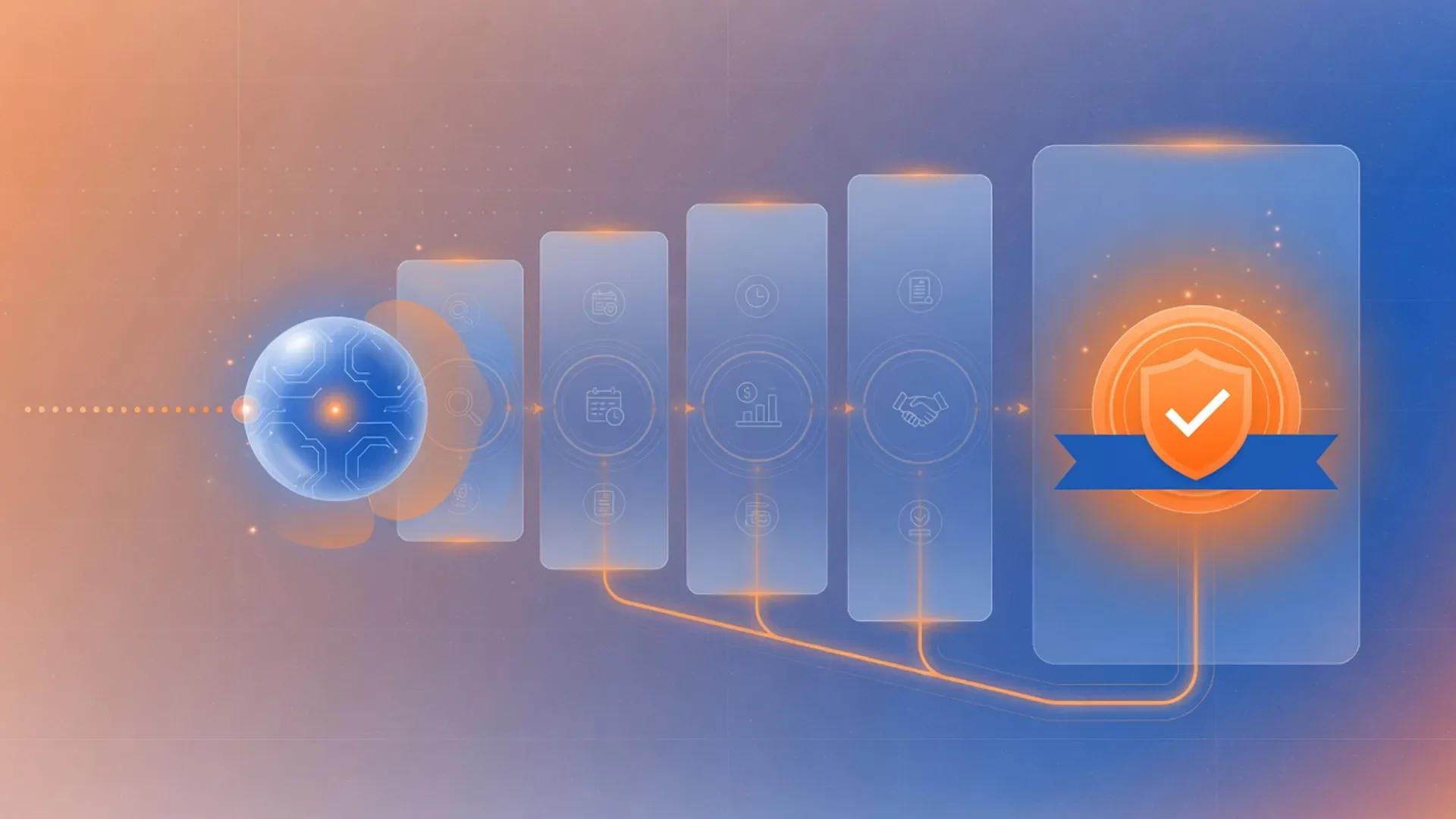
Playbook
Steps
Step 1
Define ICP, offer, and pipeline stages
Write a one-page sales brief covering ideal customer profile, disqualifiers, core offer, proof points, and stage exit criteria. Keep every claim tied to a source you can verify. Do not automate outreach before ICP and stage definitions are clear.
Step 2
Research accounts and buying context
Gather company context, recent news, role-relevant pain language, and competitive angles. Use a citation-oriented research assistant for source mapping, then log verified notes in CRM fields rather than only in chat history. Flag anything that still needs human confirmation.
Step 3
Prioritize pipeline with AI scoring inside the CRM
Score or segment open opportunities using CRM-native AI where available. Focus seller time on accounts that match ICP and show real buying signals. Avoid inventing urgency or forecast confidence the data does not support.
Step 4
Draft personalized outreach and follow-ups
Produce first-pass emails, call openers, and LinkedIn notes grounded in the research brief. Use careful long-form editing for high-value deals and marketing-oriented copy tools for volume variants. Humans approve anything that makes a commitment or claim.
Step 5
Run the conversation and capture next steps
After calls or demos, summarize the discussion, capture objections, and record agreed next steps. Write CRM notes that a teammate could act on tomorrow. Separate customer statements from your interpretation.
Step 6
Automate handoffs and reminders
Connect form fills, stage changes, Slack notifications, task creation, and follow-up reminders so sellers spend time on judgment rather than copy-paste. Keep approval gates manual for quotes, discounts, and contractual language.
Step 7
Review forecast hygiene and iterate on messaging
Inspect stage aging, missing next steps, and win/loss themes. Feed successful talk tracks back into the playbook. Retire weak variants and double down on messages that earned real meetings or pipeline movement.


Notes
Details
Why this workflow exists
Most revenue teams do not fail because they lack AI tools. They fail because outreach starts before ICP clarity, CRM notes stay empty, and forecasts reflect hope more than evidence. This pipeline keeps humans responsible for relationships and commitments while using AI to compress research, drafting, and operational handoffs.
AI sales agents work best when the underlying data is clean and the human review gate is clear. Salesforce’s Agentforce sales guidance describes agents that handle prospecting, research, and pipeline updates while sellers “have full visibility and final approval over every agent action.”
The result is a system that protects trust, advances real pipeline, and lets the team ship more touches per day without lowering the bar on what goes out the door.
Operating principles
- ICP before volume. Clear targeting beats more spam.
- Sources before personalization claims. If you cannot verify it, do not pretend you researched it.
- CRM truth before chat history. Durable notes live in the system of record.
- Humans before customer impact. Automate logistics, not promises.
- Pipeline movement before activity vanity. Optimize to qualified stages, not send counts.
- Approvals before automation. Quotes, discounts, and contract language stay gated by a human.
The workflow at a glance
| Stage | Goal | Primary AI tool | What stays human |
|---|---|---|---|
| Define ICP and stages | Lock the one-page brief | Notion AI or ChatGPT | Approval of the brief |
| Research accounts | Verified, cited context | Perplexity, Claude, Copy.ai | Choosing which signal matters |
| Score and prioritize | Ranked pipeline | HubSpot AI or Salesforce Einstein | Disqualification calls |
| Draft outreach | Personal, on-message | Copy.ai, ChatGPT, Claude | Final send and tone edits |
| Run the meeting | Captured next steps | Fireflies plus HubSpot AI or Einstein | Attending the call |
| Automate handoffs | Logged CRM actions | Zapier AI or Make | Edge cases and exceptions |
| Forecast and iterate | Trusted numbers | Einstein or HubSpot AI | Calling the quarter |
Step 1: Define ICP, offer, and pipeline stages
What this is: A one-page sales brief that locks down who you sell to, what you sell, and what “good” looks like at every pipeline stage. A sales brief is a short document that defines the ideal customer profile, disqualifiers, core offer, proof points, and the criteria a deal must meet to move from one pipeline stage to the next.
Write the brief before you let any AI send a single message. The brief is the single source of truth that every later prompt will reference, so a vague brief produces vague pipeline.
A strong brief includes:
- Ideal customer profile: industry, company size, role, tech stack signals.
- Disqualifiers: regulatory, technical, or commercial reasons to walk away.
- Core offer and three quantified proof points.
- Stage exit criteria for each pipeline stage.
Notion AI is a reasonable workspace for the brief, and ChatGPT can stress-test the disqualifiers against a list of recent losses. The human reviewer’s job is to confirm the brief matches reality, not to write copy yet.
A stage exit criterion is the specific evidence a deal must show before it can move from one pipeline stage to the next, such as “economic buyer confirmed in writing” or “security review scheduled.”
Step 2: Research accounts and buying context
What this is: A repeatable research loop that turns a target account list into a per-account brief, with every claim linked to a source the seller can click.
A citation-oriented research assistant is an AI tool that links every factual claim in its answer back to a numbered or named source so a human can verify it before the claim leaves the building.
Use Perplexity, Claude, or Copy.ai’s prospecting cockpit to gather company context, recent news, role-specific pain language, and competitor angles. The research assistant’s job is to surface verified facts, not to write the email. Keep every claim tied to a numbered or named source.
Practical guardrails:
- A claim without a source is a draft, not a fact. Mark it “needs human check” in the CRM note.
- Log the verified summary in CRM fields, not only in chat history. The system of record has to outlive the chat.
- Never put a customer’s confidential information into a consumer research session. Paid enterprise plans carry the data-handling obligations you need.
Microsoft’s Dynamics 365 documentation frames the same idea from a system-builder side: the Sales Qualification Agent “autonomously researches leads using internal and external data sources, evaluates the leads’ fit, and generates outreach emails” only after an admin configures the data policies and licensing.
Step 3: Prioritize pipeline with AI scoring inside the CRM
What this is: A scoring pass that uses CRM-native AI to rank open opportunities so sellers spend time on deals that actually match ICP and show real buying signals.
Predictive lead and opportunity scoring is the use of historical deal data and live activity signals to assign a probability that a lead or open opportunity will close within a given window.
HubSpot’s predictive lead scoring and Salesforce’s Einstein opportunity scoring both surface ranked recommendations so reps work from a prioritized list. The Atlas Reasoning Engine in Agentforce, for example, lets the AI “propose a plan for how to proceed until the complete answer or action is achieved,” but the seller still owns the call.
Operational rules:
- Use the score as a sorting key, not a verdict. The score is one input among many.
- Disqualification is a human decision. A low score is a reason to look, not to delete.
- Compare the AI’s rank to the seller’s gut. Large gaps are a coaching moment, not an override.
Step 4: Draft personalized outreach and follow-ups
What this is: A drafting loop that produces first-pass emails, call openers, and LinkedIn notes that are grounded in the research brief, then a human pass that decides what actually goes out.
A style guide prompt is a short, version-controlled instruction set you append to every outreach prompt so the AI writes in a consistent voice that matches your brand.
For volume variants, Copy.ai’s prospecting cockpit, ChatGPT, and Claude all generate account-specific messaging at speed. For a single high-value deal, write a long-form draft in Claude, then ask ChatGPT to tighten it. The human decides what ships.
Always feed the model a style guide prompt that defines:
- Voice and forbidden phrases.
- Proof points the rep is allowed to cite.
- A hard rule that the model never invents metrics, customer names, or product capabilities.
Step 5: Run the conversation and capture next steps
What this is: The meeting itself, plus a capture step that turns the conversation into CRM notes, action items, and follow-up tasks a teammate could pick up cold.
Conversation intelligence is AI that records, transcribes, and analyzes sales calls to surface topics, objections, sentiment, and next steps.
Fireflies, HubSpot’s conversation intelligence, and Salesforce’s Momentum-powered Conversation Intelligence all record calls, generate summaries, and feed structured fields back into the CRM. The point is not the transcript; the point is that a colleague can read the CRM record tomorrow and act on it.
Operational rules:
- Separate what the customer said from what you think they meant. Use two fields.
- Record the next step as “owner + action + date.” Anything else is a wish.
- Treat AI summaries as a draft. A seller reads the summary before the CRM record is shared with a manager.
Step 6: Automate handoffs and reminders
What this is: The plumbing that moves data between systems, fires Slack notifications, creates tasks, and reminds the right person to do the right thing.
Zapier and Make are the most common choices for routing events between a CRM, a chat tool, and a document store. Both platforms explicitly position themselves as a “governed layer across every AI surface” so credentials, retries, and access controls live independently of any one model.
Automation rules that protect trust:
- Quotes, discounts, and contract language always require a human approval step. Never let an AI auto-send them.
- Keep the audit log. Every automated action should produce a record a manager can replay.
- Fail loudly. If a CRM field is missing, the automation should page a human, not write a guess.
Step 7: Review forecast hygiene and iterate on messaging
What this is: A weekly ritual that inspects stage aging, missing next steps, win/loss themes, and forecast accuracy, then feeds the lessons back into the playbook.
Sales forecasting is the practice of projecting revenue over a future period using weighted pipeline stages, historical conversion rates, and current deal momentum.
Dynamics 365 Sales forecasting gives sellers and managers a shared, near real-time view of expected revenue by combining pipeline activity, forecast categories, quotas, and hierarchy rollups. Salesforce’s sales analytics explains that “the best sales forecasts do this with a high degree of accuracy, and they’re only as accurate as the data that fuels them.”
What to inspect every week:
- Deals stuck in a stage past the median cycle for that stage.
- Opportunities with no next step or no documented buyer role.
- Forecast vs. commit gap by segment, and the messages that moved the gap.
- Win/loss themes that should retire a message variant or fund a new one.
AI sales tools compared (2026)
| Tool | Primary use | Where it fits | Note |
|---|---|---|---|
| HubSpot AI | CRM-native AI across marketing, sales, and service | HubSpot-centric teams | Prospecting Agent monitors buying signals and drafts outreach |
| Salesforce Einstein / Agentforce Sales | Predictive scoring, conversational AI, agentic selling | Salesforce-centric enterprises | Einstein trust layer governs data, security, and prompt boundaries |
| Copy.ai | Workflows, prospecting cockpit, content at scale | Marketing-heavy teams that need many channel variants | Positions itself as a “GTM AI Platform” |
| ChatGPT | Long-form drafting, research, and reasoning | Versatile generalist | Use the business or enterprise plan for data-handling guarantees |
| Claude | Long-context drafting and careful editing | High-stakes deals and policy-aware writing | Enterprise tier includes HIPAA-ready configuration |
| Perplexity | Citation-oriented web research | Pre-call research and source-mapped briefings | Enterprise plan is SOC 2 Type II certified |
| Notion AI | Team docs, briefs, and meeting notes | Living the sales brief inside your existing knowledge base | Enterprise customers get zero data retention |
| Fireflies | Meeting transcription, summaries, CRM sync | Lean teams that need call notes in the CRM fast | Free CRM sync into HubSpot, Salesforce, Pipedrive |
| Zapier | Cross-app workflow automation with model governance | Connecting CRM, chat, and docs | Policies sit above the model layer |
| Make | Visual scenario automation with AI agents | Teams that prefer visual workflow building | Supports 400+ AI app integrations |
Reusable templates (example)
ICP and stage brief template
# Sales Brief — [Product or Segment]

## Ideal Customer Profile
- Industry:
- Company size:
- Roles to engage:
- Stack signals that correlate with wins:
- Geography and regulatory notes:

## Disqualifiers
- Cannot use our product because:
- Cannot afford at our price point:
- Regulatory or compliance blocker:
- Competing contract we cannot displace before:

## Core Offer
- One-line value proposition:
- Three quantified proof points:
- Reference customers I am allowed to name:

## Pipeline Stages and Exit Criteria
- Stage 1 → 2:
- Stage 2 → 3:
- Stage 3 → 4:
- Stage 4 → Closed Won:
CRM research note template
# Account Brief — [Company Name]

## One-paragraph summary (sourced)
- Source 1:
- Source 2:
- Source 3:

## Buying signals observed
- Signal:
- Source:

## Likely pain language (with role context)
- Role:
- Likely wording:
- Source for wording:

## Risk to verify with a human
- Item:
- Why I am not sure:
Outreach draft template
Role: You are writing a first-touch email for {rep_name} at {company}.
Voice: {paste style guide excerpt}
Source of truth: {paste verified research brief}
Hard rules:
- Cite only facts present in the research brief.
- Do not invent metrics, customer names, or product capabilities.
- Keep under 120 words.
- End with a single, specific question.
Output: One email with subject line.
Meeting recap template
# Meeting Recap — [Account] — [Date]

## Customer statements (verbatim or close paraphrase)
- "..."
- "..."

## My interpretation (separate, labeled)
- I think this means:

## Next steps
- Owner:
- Action:
- Due date:
- Source: [link to call recording timestamp]
Privacy, security, and compliance guardrails
AI sales tools touch personal data, intent signals, and recorded conversations, so the workflow has to respect the same rules your security team already enforces.
- GDPR (General Data Protection Regulation) is the EU’s personal-data protection law that requires a lawful basis, clear notice, and data-subject rights for any processing of EU residents’ data. The European Commission’s AI Act adds a risk-based layer on top of GDPR, with prohibited practices that became effective in February 2025 and transparency rules effective in August 2026. The official EU portal says the AI Act “is the first-ever legal framework on AI” and sets a four-level risk pyramid from “unacceptable risk” down to “minimal or no risk.”
- Vendor governance matters. The UK’s Information Commissioner’s Office publishes AI and data protection guidance that emphasizes risk assessment and explanation duties whenever AI is used to make decisions about individuals. If you sell to UK or EU buyers, your AI sales stack needs a documented lawful basis, retention rules, and a way to honor data-subject requests.
- Generative AI vendors ship their own controls. Notion states that it has “contractual agreements with our AI subprocessors that prohibit the use of customer data to train their models,” and that Enterprise customers get zero data retention. OpenAI’s security page lists SOC 2 Type 2, ISO 27001/27017/27018/27701, ISO 42001, and CSA Star Level 1 across API and ChatGPT business products. Anthropic’s Trust Center mirrors that posture, with a per-tenant opt-out from training by default and a HIPAA-ready offering on Enterprise plans. Verify the specific certification and date in your vendor’s trust portal before you sign.
- Standards-based risk management is now table stakes. NIST’s AI Risk Management Framework, with the Generative AI Profile released in July 2024, is the de facto U.S. reference for how organizations should govern, map, measure, and manage AI risk. ISO/IEC 42001:2023 is the first AI management system standard, and vendors including Gong, OpenAI, and HubSpot are beginning to align to it. The OWASP Top 10 for Large Language Model Applications lists prompt injection, sensitive information disclosure, and excessive agency as the most common failure modes your security review should look for.
- Recordings and biometric data need extra care. Conversation intelligence tools record calls. EU guidance treats voice and image as biometric data when used for unique identification, and several U.S. states have separate wiretap and recording consent rules. Get explicit consent at the top of every call and store the consent record in the CRM.
Measurement: what to track, and why
A pipeline AI workflow is a system, and a system needs instrumentation. Track four layers.
- Pipeline hygiene. Stage aging, missing next steps, deals with no documented buyer role. These are leading indicators of forecast accuracy.
- Outreach quality. Reply rate, meeting-set rate, and meeting-show rate segmented by message variant. AI should be tested the same way you test a new SDR script.
- AI efficiency. Hours saved on research and recap per rep, draft acceptance rate, and percentage of CRM records auto-updated that were not corrected by a human. If humans are rewriting every AI draft, your style guide is the problem, not the model.
- Risk and compliance. Percentage of AI actions that were gated for human approval, percentage of AI-generated emails reviewed before send, and any data-subject access requests closed inside your service level. These belong on a monthly risk dashboard, not buried in a status doc.
FAQ
What is an AI sales pipeline workflow?
An AI sales pipeline workflow is a repeatable sequence of steps where AI tools help with research, scoring, outreach drafting, meeting capture, and forecast hygiene, while humans keep ownership of relationships, commitments, and approvals. The system uses CRM-native AI and conversation intelligence to compress time-to-lead, time-to-meeting, and time-to-clean-CRM.
How do AI agents research sales accounts in 2026?
Modern agents combine internal CRM data with external enrichment and web research, then return a cited brief. Salesforce’s Prospecting Agent, for example, “researches and enriches prospects across Salesforce, call recordings, the web, and any third-party data sources.” The model flags anything it could not verify so a human can decide whether to trust it.
What does AI conversation intelligence do for sales follow-up?
It records the call, transcribes it, surfaces topics and objections, generates a summary, and writes structured fields back into the CRM. Salesforce’s Conversation Intelligence, Fireflies, and HubSpot’s conversation intelligence all do this. The output is a CRM record a colleague can pick up cold, not a transcript that no one reads.
How do I keep AI sales outreach personalized at scale?
Feed the model a research brief and a style guide, then require a human review before any email that quotes a metric, names a customer, or makes a commitment. Copy.ai’s prospecting cockpit, ChatGPT, and Claude are all reasonable drafting engines when the inputs are clean and the gate is clear.
How does predictive AI sales forecasting work?
AI forecasting scores each open opportunity using deal size, stage, and velocity, then projects whether the deal will close in the current quarter. Dynamics 365 and Salesforce’s sales analytics both publish this in their forecasting documentation, and the model’s output is a recommendation, not a number a manager is forced to commit to.
What are the GDPR and AI Act risks of AI sales automation?
The EU AI Act adds a risk-based layer to GDPR for any AI system used inside the EU. The official EU portal says prohibited practices became enforceable in February 2025 and the broad rules apply from August 2026. Sales AI that automates outreach, scoring, or recording can fall into the limited-risk or high-risk category depending on how it is deployed, which means you need a lawful basis under GDPR and an AI Act risk classification before you turn the agents on.
Which metrics should RevOps track for an AI sales pipeline?
Pipeline hygiene, outreach quality, AI efficiency, and risk and compliance. Each layer catches a different failure mode. Pipeline hygiene catches dirty data. Outreach quality catches bad copy. AI efficiency catches wasted compute. Risk and compliance catches regulatory exposure.
How do AI sales agents connect to Slack and the CRM?
The most common pattern in 2026 is an agent platform that lives inside the CRM, exposes a Slack surface for the seller, and reads from a unified data layer such as Salesforce Data 360 or HubSpot Smart CRM. Agentforce Sales in Slack and HubSpot’s Breeze Assistant both follow this pattern, so the seller does not have to leave the chat tool to update the CRM.
What is the right way to gate AI in sales with human approval?
Anything that makes a commitment (price, terms, contract clause) or affects a person’s rights (eligibility, scoring, recording) needs a human approval step in the workflow. The same principle shows up in NIST’s AI RMF, in the OWASP Top 10 for LLM Applications, and in ISO/IEC 42001:2023: govern, then map risk, then put a human on the loop.
Stack
Tools used in this workflow


HubSpot AI
Editorially ResearchedHubSpot's Breeze AI and Agent Hub bring context-aware generative and agentic AI into the CRM, sales, marketing, and service hubs where your customer data a…
Stands out · AI assistance and autonomous agents embedded across the HubSpot customer platform, with credit-based pricing that only bills when the agent actually delivers work.

Salesforce Einstein
Editorially ResearchedSalesforce's AI layer for CRM predictions, automation, and agentic assistance across the Customer 360.
Stands out · Enterprise CRM AI embedded across Salesforce Customer 360 rather than sold primarily as a standalone consumer assistant.

Copy.ai
Editorially ResearchedAI-native go-to-market platform built by Fullcast, automating marketing, sales, and RevOps workflows end-to-end.
Stands out · LLM-agnostic, no-code Workflows that codify end-to-end GTM processes across sales, marketing, and ops, now backed by Fullcast.

ChatGPT
Editorially ResearchedOpenAI's general-purpose AI assistant for writing, analysis, coding help, and everyday knowledge work.
Stands out · A mainstream, general-purpose AI assistant with the broadest multimodal feature surface and one of the largest everyday user bases for conversational AI.


Claude
Editorially ResearchedAnthropic's AI assistant focused on careful writing, long-context work, and the strongest agentic coding stack as of July 2026.
Stands out · A general-purpose assistant and agent platform optimized for careful writing, 1M-token long-context work, and the strongest agentic coding surface in 2026 — anchored by Opus 5, Sonnet 5, Fable 5, Claude Code, and Claude Cowork.

Zapier AI
Editorially ResearchedThe no-code automation platform that quietly became the AI governance layer for the rest of your SaaS stack.
Best for · Teams that need broad app connectivity, AI-assisted workflow building, and a single governance layer for every AI surface they adopt.


Make
Editorially ResearchedVisual AI automation platform for building complex multi-app scenarios and AI agents on a transparent canvas.
Stands out · A visual AI automation canvas where next-gen Make AI Agents, MCP, and Make Grid observability ship together on every paid plan — purpose-built for complex, multi-app workflows.


Perplexity
Editorially ResearchedAI-powered answer engine that pairs search with cited synthesis for faster research.
Stands out · An answer engine built around citations, then extended to an AI browser and a multi-model Computer that runs work for you.

Notion AI
Editorially ResearchedAI writing, knowledge agents, and meeting notes built into the Notion workspace teams already use.
Stands out · Notion AI is the only AI built directly into the workspace where teams already store docs, wikis, projects, and meeting notes — so it works on your real context, not in a separate chat window.


Fireflies.ai
Editorially ResearchedAI meeting notes, transcription, and searchable conversation intelligence for teams.
Stands out · End-to-end meeting capture that connects to 100+ apps, runs 200+ AI Skills, and meets HIPAA-grade security on a freemium price floor.
Related
Related reading
HubSpot AI vs ChatGPT
Pick HubSpot AI when the work is contacts, deals, tickets, and campaigns inside HubSpot. Pick ChatGPT when the work is open-ended drafting, research, multi-tool reasoning, or anything not tied to a CRM object.

Notion AI vs Claude
Choose Notion AI when your team's knowledge, projects, and meetings already live in Notion and you want an agent that can take action inside that workspace. Choose Claude when you want the best standalone writing, reasoning, and long-document analysis regardless of which wiki you use.
Zapier AI vs n8n
Pick Zapier AI when business users need the fastest path to a working automation across 9,000+ mainstream SaaS apps. Pick n8n when engineers want code, self-host, and execution-based pricing for complex or high-volume AI workflows.

ChatGPT vs Perplexity
Choose ChatGPT for broad multimodal drafting, domain assistants, and a billion-user ecosystem. Choose Perplexity when source-visible research, citation-first answers, or agentic computer use on local files is the daily bottleneck.

sales tools
Browse the sales category

marketing tools
Browse the marketing category
Keep building
Explore more playbooks and tools
Browse more workflows, or shortlists built around the same stack.