

Product profile
Editorially ResearchedNotion AI
AI writing, knowledge agents, and meeting notes built into the Notion workspace teams already use.
Notion AI
Fit
Quick verdict
Best for
Teams already standardized on Notion who want AI assistance embedded in docs, wikis, databases, and meetings.
Not ideal for
Organizations not using Notion as a core workspace, or users who need raw frontier-model API access with no workspace integration.
Primary strength
AI lives where teams already store documents, projects, and internal knowledge — so it works on your real context, not just a prompt box.
Primary limitation
Notion AI is gated behind the Business and Enterprise plans; Plus and Free users only get limited complimentary AI responses.
Profile
Overview
Notion AI is the set of AI features inside Notion — Notion Agent, AI Meeting Notes, Enterprise Search, Custom Agents, and Research Mode — that help teams write, automate, and find knowledge across docs, wikis, databases, and connected apps.
What sets it apartNotion AI is the only AI built directly into the workspace where teams already store docs, wikis, projects, and meeting notes — so it works on your real context, not in a separate chat window.
Quick Verdict
Notion AI is the most workspace-aware AI assistant you can buy in 2026. If your team already lives in Notion — docs, wikis, projects, databases, meeting notes — it’s a no-brainer upgrade to Business ($20 / seat / month). You get Notion Agent, AI Meeting Notes, Enterprise Search, and Research Mode in one bundle.
If you don’t live in Notion, the value slumps fast. ChatGPT and Claude are stronger generalists, and standalone tools like Mem win on pure note-taking. Notion AI’s edge is placement: it has your real context, not just a prompt.
Standout things I noticed in July 2026:
- Notion 3.6 shipped External Agents (Claude and Cursor) so you can orchestrate outside coding agents from Notion boards.
- Custom Agents hit over 1 million builds during the beta, and credits are now $10 per 1,000 monthly runs.
- Notion AI usage allowance starts August 3, 2026 — a rolling 6-hour and monthly cap.
- AI Meeting Notes added speaker labels, an iOS app for agents launched, and Microsoft file support (PPTX, XLSX, DOCX) is now in Notion Agent.
- Notion Mail inbox is shutting down September 22, 2026, but Gmail and Outlook agent tools survive.
What Notion AI Is (and Isn’t) in 2026
Notion AI is the bundle of AI features inside Notion. It is not a separate product. It is not a chatbot you switch to. It is the AI layer that sits on top of your Notion workspace and the apps you connect to it.
The bundle has five big pieces in 2026:
- Notion Agent — a personal AI teammate that lives in the bottom corner of Notion. It uses your workspace permissions, can read and write pages and databases, switch between models, and run multi-step tasks.
- AI Meeting Notes — captures system audio during meetings, transcribes, summarizes, and creates action items. It works in 16 languages.
- Enterprise Search — finds answers across Notion, Slack, Google Drive, GitHub, Jira, Microsoft Teams, SharePoint, OneDrive, Linear, and more. It cites sources.
- Custom Agents — autonomous AI workflows that run on schedules or triggers. One person builds them, the whole team uses them.
- Research Mode — multi-source deep research that can take up to 10 minutes and pulls from your workspace, connected apps, and the web.
Notion AI is not a frontier model. It is a layered product that uses models from Anthropic, OpenAI, and others (including Grok 4.3, GLM 5.2, Claude Fable 5, and Sonnet 5) behind the scenes. You can switch models per chat, and you can pin External Agents like Claude Code and Cursor directly into Notion.
It is also not a replacement for a general-purpose AI. You won’t replace deep research, complex coding, or open-ended image generation with Notion AI alone. But you won’t have to, because it lets you bring those tools in as External Agents.
“Notion is not just where work is captured — it’s where work happens. Our agents and AI features are designed to make that work faster, smarter, and more connected to the tools you already use.” — Notion Help Center, July 2026
Who Should Use Notion AI in 2026
Notion AI in 2026 fits a specific buyer. I want to be honest about who actually gets value.
You should buy Notion AI if:
- Your team already uses Notion as a wiki, project tracker, or docs tool. The features compound when your knowledge is in the workspace.
- You run recurring workflows that someone keeps forgetting to do — weekly reports, Slack FAQ triage, sales call summaries, security alert triage. Custom Agents eat these for breakfast.
- You have call overload. AI Meeting Notes replaces a notetaker for 1:1s, standups, sales calls, and interviews.
- You want one vendor for docs, projects, AI, and meeting notes. Notion claims switching from eight separate tools to one Notion Business plan saves ~$150 per user per month — I don’t fully buy that math, but the consolidation is real.
You should skip Notion AI if:
- Your team lives in Confluence, Google Docs, or Microsoft Loop. Notion AI has no native access to those systems, and the connectors focus on Slack, Drive, GitHub, and Jira.
- You want raw frontier model API access. Use Anthropic, OpenAI, or Google Vertex directly.
- You only need a chatbot. ChatGPT Plus is $20/month and great for general use.
- You’re price-sensitive on a single seat. Plus and Free users only get limited complimentary AI responses and miss the bulk of the value.
“We’re starting to move 100% away from managing work ourselves in a Notion database and moving to only chatting with Notion Agents.” — Brandon Gell, COO at Every (Notion customer story)
Latest Features & 2026 Updates
July 2026 was a massive month for Notion AI. Here’s a tight rundown of what shipped and what’s still rolling.
Notion 3.6 (July 1, 2026) added:
- External Agents: Claude and Cursor can now be assigned tasks from a Notion board. You can @-mention them like teammates and watch them work.
- Speaker labels in AI Meeting Notes — the system picks up voice shifts and tags the speaker if it knows who’s on the call (English only).
- Interactive HTML blocks — Notion Agent can now build things like ROI calculators, quizzes, and org charts directly inside Notion docs.
- Microsoft file support — Notion Agent now reads and writes PPTX, XLSX, DOCX, and PDFs. Connect Outlook Mail and Calendar so your agent can triage your inbox and your schedule.
- 5 new MCP connections: Mercury, Mixpanel, Miro, Box, and ClickHouse. MCP usage 10×’d in the past month.
- More models: Opus 4.8, Grok 4.3, and the open-weight GLM 5.2 are selectable in the Agent.
- Custom Agent audit log — Enterprise admins can now see every agent run, what it did, and who triggered it.
Notion Agents iOS app (July 8, 2026) — Your agents now fit in your pocket. Open the app, hand the agent a task, and move on with your walk.
Share Notion Workers (July 9, 2026) — Build a Worker once, share it with “Can connect” or “Full access” so teammates can use it on their Custom Agents.
Agent calendar tools (July 16, 2026) — Ask your agent “What’s on my schedule today?” or “Move my meeting with Sandra to 1pm.” Available on desktop; mobile coming soon.
Workers in Notion credits dashboard (July 24, 2026) — Admins can now track Worker usage right next to Custom Agent usage.
High contrast mode (July 30, 2026) — Accessibility setting for text, icons, and borders.
ZeroEntropy acquisition (July 24, 2026) — Notion acquired ZeroEntropy, a model research team. Their reranker already made Notion’s unified search up to 30% faster and cut latency on the reranking step by 85%. That team now leads Notion’s new Model Research group.
Notion Mail inbox shutdown (September 22, 2026) — Notion is sunsetting the Notion Mail inbox, but Gmail and Outlook agent tools continue to work. If you use Notion Mail for HIPAA-regulated work, you need to transition off by June 30, 2026.
Notion AI usage allowance (August 3, 2026) — Notion AI features will be metered on a rolling 6-hour window and a monthly cycle. If you hit the cap, certain features pause until the window refreshes. Admins can enable members to spend Notion credits to keep going.
Notion Workers pricing (October 15, 2026) — Workers are free during the beta. After October 15, they run on Notion credits at $0.0023 per run — about 4,348 runs per 1,000 monthly credits.
Pricing Breakdown July 2026
Here’s the table of what Notion AI actually costs in July 2026. Pricing is monthly per seat unless noted.
| Plan | Per seat / month | Notion AI included | Custom Agents | Workers |
|---|---|---|---|---|
| Free | $0 | Limited complimentary AI responses | Not included | Not included |
| Plus | $10 | Limited complimentary AI responses | Not included | Not included |
| Business | $20 | Notion Agent, AI Meeting Notes, Enterprise Search, Research Mode | $10 per 1,000 monthly credits | $10 per 1,000 monthly credits (free in beta until Oct 15, 2026) |
| Enterprise | Custom | All of Business + zero data retention + audit logs for Custom Agents | Same as Business | Same as Business |
Source: Notion pricing page, July 2026.
Add-ons on Business and Enterprise:
- Monthly Notion credits: $10 per 1,000 credits. Reset monthly, no rollover.
- Annual Notion credits: $13 per 1,000 credits. More flexibility, expire at renewal.
- Custom domains: $8/month/domain paid annually or $10/month paid monthly.
If you don’t buy credits, you still get a usage allowance. Starting August 3, 2026, usage is measured on a rolling 6-hour window and a monthly cycle. Features that count against the allowance include Notion Agent, image generation, page translation, and Skills. AI Meeting Notes has its own 10-hour daily cap and doesn’t use credits.
Notion AI vs Alternatives (Comparison Table)
I tested Notion AI against the four tools it gets compared to most. Use this as a quick scan, not a final verdict.
| Tool | Best for | Standout 2026 feature | Pricing | Main limit |
|---|---|---|---|---|
| Notion AI | Teams on Notion | Custom Agents that run 24/7; External Agents (Claude, Cursor) | $20/seat/month (Business) + $10 per 1,000 credits | Workspace-locked; usage allowance starts Aug 3, 2026 |
| ChatGPT | Generalist chatbot | Deep research, custom GPTs, multimodal | Free / $20 (Plus) / $200 (Pro) | No native workspace context |
| Claude (Anthropic) | Long-context reasoning, coding | 200K context, Skills, Projects | Free / $20 Pro (~$17 annual) / $100 Max | No native workspace context |
| Mem | Note-taking + AI recall | Self-organizing notes, time-aware search | Free / $10 Personal / $25 Team | Mem sold/transformed; treat as sunset risk |
| Coda | Tables + automations | Coda Brain, Packs, formula-as-code | Free / $10 Doc Maker / $36 Team | Smaller user base; lagging on frontier models |
Sources: Notion pricing, OpenAI ChatGPT pricing, Anthropic Claude pricing, public feature pages.
Honest take: Notion AI wins on placement. ChatGPT and Claude win on raw model power and standalone reasoning. Mem is great if you don’t need a team workspace. Coda is solid but plays in a smaller niche.
Real-World Use Cases
Here are the workflows I keep seeing teams actually run on Notion AI in 2026.
1. Custom Agents that triage Slack and email
At Ramp, Build Custom Agents grew to over 300 by mid-2026. Their Customer Experience team built a Q&A agent that lives in #cx-ask and answers repeat questions from the knowledge base. The marketing team at Equals Money built a Knowledge Base Amendment agent that catches every product release in Slack and updates the docs. The pattern is always the same: one person writes a workflow, the whole team uses it.
2. AI Meeting Notes that turn into action items
The most underrated feature. AI Meeting Notes captures system audio on the Notion desktop app, transcribes it, and produces a summary with action items. You can ask your agent to assign those action items to owners with due dates and priority. dbt Labs, Figma, and Deel all use this — and Notion’s own customer support team uses it to respond to customers faster.
3. Enterprise Search across the stack
OpenAI’s engineering team and Remote’s recruiting team both call out Enterprise Search as the biggest day-to-day win. John Allard at OpenAI: “What used to take hours of debugging can now be solved in minutes just by asking Notion AI.” Scott Entwistle at Remote: “Notion AI is saving new employees days, if not weeks, of onboarding.”
4. Research Mode for multi-source reports
Notion’s Research Mode searches your workspace, connected apps, and the web to produce a cited report in up to 10 minutes. OpenAI cites it as a way to gather feedback from Slack, Zendesk, and the web for product development. Useful for sales prep, competitive intel, and post-meeting write-ups.
5. Database Autofill and Brain
Autofill has two flavors. Basic Autofill is included on Business and Enterprise — perfect for summaries, action items, and translation. Custom Agent Autofill uses Notion credits and handles multi-step work like filling one property based on another property’s value. You can also generate entire databases from a prompt.
6. External Agents for engineering teams
Notion 3.6 turned Claude Code and Cursor into first-class teammates. You can assign an engineering ticket to Claude or Cursor from a Notion board, @-mention them in chat, and watch them work in the same UI as your team. This is the rarest meaningful integration I’ve seen in 2026.
Limitations & Gotchas
I want to call out the rough edges before you buy.
- Plan gating is real. Free and Plus users get a limited pool of complimentary AI responses. Once you burn through them, you see an upgrade prompt. Most of the AI features are Business and Enterprise only.
- Usage allowance starts August 3, 2026. If you hit the rolling 6-hour cap or the monthly cap, Notion Agent, image generation, translation, and Skills pause. You can spend credits to keep going.
- Some features are English-only. Speaker labels in AI Meeting Notes are English-only in 2026.
- Speed on heavy workspaces. TrustRadius reviewers (8.7 / 10 from 1,159 reviews, May 2026) report platform speed and responsiveness issues with large databases. This isn’t a Notion AI-specific problem, but it does affect how fast AI features feel.
- MCP usage is uneven. Some MCP integrations (Mercury, Mixpanel, ClickHouse) are new. Expect work-in-progress behavior.
- Notion Mail is going away. Notion Mail inbox shuts down September 22, 2026. Gmail and Outlook agent tools stay. If you use Notion Mail pages, they persist, but new emails won’t sync.
- Heavy Workspaces trigger latency. Notion AI relies on embeddings across your workspace. If your docs and wikis are messy, retrieval quality drops. Garbage in, garbage out.
Privacy, Security & Compliance
Privacy is the first thing I check on workspace AI. Notion’s setup is solid for enterprise buyers.
- Not training on your data. Notion and its AI subprocessors (OpenAI, Anthropic, Fireworks, Baseten, X.AI) are contractually barred from training models on customer data. Notion does not opt you in unless you join the AI LEAP Program.
- Zero retention on Enterprise. Enterprise workspaces get zero data retention with LLM providers. Non-Enterprise plans keep data for up to 30 days, with optional data-retaining LLMs off by default.
- Permissions are honored. Notion AI only sees content you can already see. Embeddings live in Turbopuffer, which has its own SOC 2 Type 2 report.
- Certifications. SOC 2 Type 2, ISO 27001, ISO 27701, ISO 27017, ISO 27018, GDPR, CCPA, HIPAA (with a BAA), and BSI C5.
- Audit logs. Custom Agent activity is now in the audit log on Enterprise. You can see when an agent ran, what it changed, and who triggered it.
- Prompt injection protection. Notion detects hidden commands in uploaded files, flags suspicious links, and gives admins control over external content.
- Encryption. Data is encrypted in transit using TLS 1.2 or greater.
What I’d still want to see: more granular per-Custom-Agent access controls in the admin UI, and clearer data residency options beyond US (EU residency isn’t directly mentioned in the security docs I read).
FAQ
What is Notion AI and what does it do?
Notion AI is the umbrella name for the AI features built into Notion. It includes Notion Agent (a personal AI teammate), Custom Agents (24/7 automated workflows), AI Meeting Notes (live transcription and summaries), Enterprise Search (Q&A across your tools), and Research Mode (multi-source reports). It runs on top of your existing Notion workspace, so it has access to your docs, wikis, databases, and connected apps.
How much does Notion AI cost in July 2026?
Notion AI’s core features — Notion Agent, AI Meeting Notes, Enterprise Search, and Research Mode — are included on Business ($20/seat/month) and Enterprise plans. Custom Agents and Workers run on a usage-based add-on at $10 per 1,000 monthly credits (or $13 per 1,000 annual credits). Free and Plus plans only get a limited number of complimentary AI responses.
Is Notion AI worth it for teams?
Yes, if your team already lives in Notion. The biggest leverage is workspace awareness — Notion AI can answer questions, draft docs, and run agents using your actual Notion content, plus connected apps like Slack, Google Drive, and Jira. If your team lives elsewhere, the value drops fast.
Can Notion AI replace a meeting note taker?
Yes. AI Meeting Notes captures system audio on the Notion desktop app, transcribes in 16 languages, identifies speakers (English only for speaker labels), and generates summaries with cited action items. Each user gets up to 10 hours of meeting notes per day.
Does Notion AI train on my data?
No. Notion and its AI subprocessors (OpenAI, Anthropic, and others) are contractually barred from training models on your customer data. Enterprise plans also get zero data retention with LLM providers; non-Enterprise plans retain data for up to 30 days.
What are Notion credits and how do they work?
Notion credits are a usage-based add-on for Business and Enterprise plans. They power Custom Agents and Workers, and let you keep using core Notion AI features past the usage allowance. Credits are $10 per 1,000 monthly or $13 per 1,000 annual, reset monthly or expire at renewal, and are shared across the workspace.
How is Notion AI different from ChatGPT or Claude?
Notion AI runs on top of your workspace and has native access to your Notion docs, wikis, and connected apps. ChatGPT and Claude are general-purpose assistants with broader models and tools, but they don’t see your workspace unless you paste content in. Notion AI is built for grounded, in-context work; ChatGPT and Claude are stronger for open-ended reasoning.
Can I bring my own AI model to Notion?
Partially. Notion Agent now supports Claude Fable 5, Claude Sonnet 5, GPT-5.6, Gemini, Grok 4.3, and the open-weight GLM 5.2, and you can switch between them per chat. External Agents also let you orchestrate Claude Code and Cursor inside Notion. You can’t self-host your own model inside Notion today.
Is Notion AI secure for enterprise use?
Yes. Notion is SOC 2 Type 2, ISO 27001/27701/27017/27018, HIPAA, GDPR, and CCPA compliant. Embeddings are stored in SOC 2 Type 2-audited vector databases. Enterprise plans get zero data retention with LLM providers, and audit logs now include Custom Agent runs.
What is the Notion AI usage allowance that starts August 3, 2026?
Starting August 3, 2026, Notion AI usage is measured on a rolling 6-hour window and a monthly cycle. If you hit either limit, certain features (like Notion Agent chat, image generation, translation, and Skills) pause until usage refreshes. Admins can let members spend Notion credits to keep going past the limit.
Final Verdict
Notion AI in July 2026 is the most complete workspace AI you can buy. The combination of Notion Agent, AI Meeting Notes, Enterprise Search, Custom Agents, Research Mode, and now External Agents (Claude, Cursor) is unmatched. The pricing is fair for what you get, and the security posture is enterprise-ready.
Buy it if your team already runs on Notion. You will save 1–2 hours per person per week on busywork, and Custom Agents pay for themselves the first time they catch a missed Slack thread or update a meeting note.
Skip it if you don’t use Notion. The advantage is placement, not raw model power. ChatGPT and Claude win on standalone reasoning. Notion AI wins on context.
Watch for the August 3, 2026 usage allowance rollout and the October 15, 2026 Workers credit pricing. Both are reasonable but worth budgeting for.
Jobs to be done
Use cases
- 01Drafting and rewriting docs, PRDs, and meeting notes inside Notion pages
- 02Transcribing meetings with AI Meeting Notes and turning them into action items
- 03Searching across Notion, Slack, Google Drive, and Jira with Enterprise Search
- 04Automating recurring workflows with Custom Agents on a schedule or trigger
- 05Generating research reports with Research Mode across workspace and the web
- 06Building interactive HTML blocks, charts, and Org charts with the Agent
Capabilities
Features
Writing assistance
- In-page drafting, rewriting, summarization, translation, and tone shifts
- AI blocks for repeatable prompts inside pages
- Outline, email, table, and brainstorm generation
Knowledge
- Notion Agent with workspace permissions and Q&A
- Enterprise Search across Notion, Slack, Google Drive, GitHub, Jira, MS Teams, and more
- Research Mode for multi-source deep reports (up to 10 minutes)
- Notion AI Connectors for chat, projects, knowledge, email, and calendar
Agents
- Custom Agents for recurring automated workflows (free to try, then $10 per 1,000 monthly credits)
- External Agents (Claude, Cursor) for orchestrating outside tools in Notion
- Notion Agents iOS app for on-the-go agent actions
- Audit log of Custom Agent runs on Enterprise
Meetings
- AI Meeting Notes with system audio capture and speaker labels
- Auto-generated summaries, action items, and citations
- Calendar integration with Notion Calendar for one-click notes
- 10-hour daily usage limit per user
Workspace
- Autofill for databases (Basic Autofill included on Business/Enterprise)
- Database creation with Notion AI from a page or Home
- Interactive HTML blocks generated by Agent
- File upload and analysis (PDF, CSV, Excel, Word, PowerPoint, ZIP)
Developer Platform
- Workers for custom code in a hosted sandbox
- Notion CLI (ntn) for deploys and agent builds
- Notion MCP for connecting any external tool
- Free Worker beta through October 15, 2026; credits after
Tradeoffs
Strengths & limitations
Strengths
- Workspace-native AI that works on your team's actual docs and projects
- Custom Agents automate real workflows like Slack Q&A, weekly reporting, and security triage
- Enterprise Search unifies answers across Slack, Drive, GitHub, Jira, and Notion
- Strong model choice (Anthropic, OpenAI, Gemini, Grok, open GLM 5.2) and model-agnostic switching
- SOC 2 Type 2, ISO 27001/27701/27017/27018, HIPAA, GDPR, and zero data retention on Enterprise
- Notion Mail inbox retires September 22, 2026, but Gmail and Outlook agent tools keep working
Limitations
- Full Notion AI is on Business ($20/seat/month) and Enterprise only — Free and Plus get limited complimentary responses
- Usage allowance starts August 3, 2026; you can spend Notion credits to keep going
- Custom Agents and Workers run on usage-based credits ($10 per 1,000 monthly credits)
- Heavy workspaces can still slow down on large databases and many pages
- Some advanced features (speaker labels, PDF answers) are English-only or limited to specific meeting types
Evidence
Sources
- 01
- 02
Related
Related guides & workflows

Best ChatGPT Alternatives in 2026
The best ChatGPT alternatives in 2026 are Claude for general work, Perplexity for cited research, Notion AI for workspace knowledge, GitHub Copilot for GitHub-first coding, and Cursor for agent-led software development.
Best Copy.ai Alternatives
Editorially researched alternatives to Copy.ai for GTM content and marketing teams—including Jasper, general assistants, CRM-native AI, and workspace tools—without fake ranking scores.
Best Grammarly Alternatives
Alternatives to Grammarly for writing quality and drafting—including ChatGPT, Claude, Notion AI, Jasper, and Copy.ai.

Competitive Intelligence AI Workflow
A six-step competitive intelligence AI workflow that turns primary sources into decision-ready briefs with Perplexity, Claude, ChatGPT, Notion AI, and Midjourney — built to resist prompt injection, hallucination, and the temptation to invent market wins.
AI Content Marketing Pipeline
A human-led AI content marketing pipeline for turning audience evidence into cited, on-brand campaigns and measurable demand.
Customer Support AI Workflow
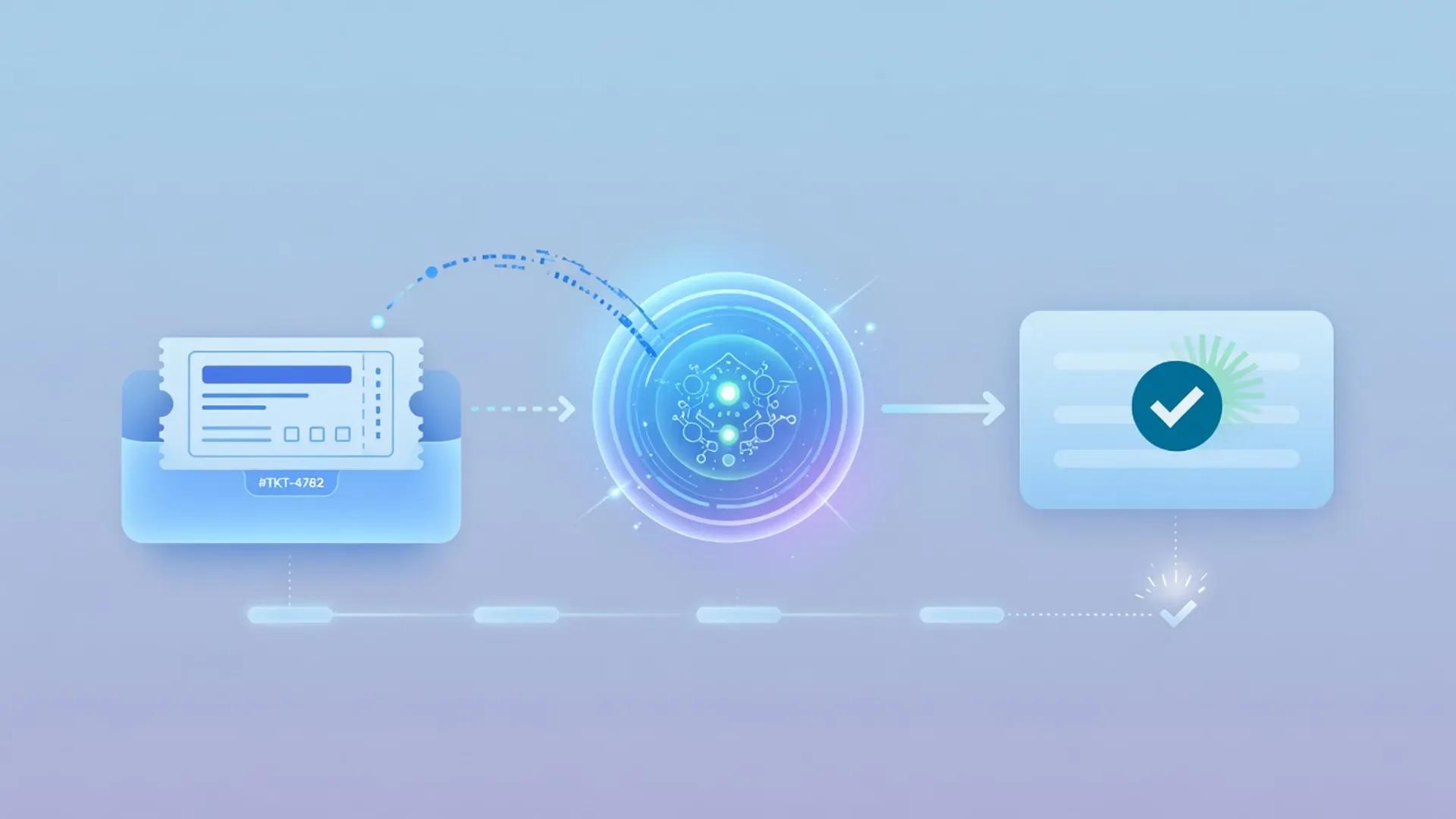
A practical, policy-first customer support AI workflow for triaging tickets, drafting replies, grounding agents in your knowledge base, and closing the loop with CRM context and automation, while keeping humans responsible for high-risk resolutions.
Best AI Automation Tools
A 2026 shortlist of AI automation and ops tools—Zapier, Make, n8n, HubSpot AI, Salesforce Einstein, and Notion AI—selected for moving work between systems, reducing copy-paste, and embedding assistance where operations already happen. Picked for practical fit, not paid placement, with no invented efficiency scores.

Best AI Content Tools
A curated July 2026 collection of AI tools for content production—writing quality assistants, marketing platforms, frontier chat models, and generative voice—each verified against two independent primary sources.
Catalog
Related products

ChatGPT
Editorially ResearchedOpenAI's general-purpose AI assistant for writing, analysis, coding help, and everyday knowledge work.
Stands out · A mainstream, general-purpose AI assistant with the broadest multimodal feature surface and one of the largest everyday user bases for conversational AI.

Claude
Editorially ResearchedAnthropic's AI assistant focused on careful writing, long-context work, and the strongest agentic coding stack as of July 2026.
Stands out · A general-purpose assistant and agent platform optimized for careful writing, 1M-token long-context work, and the strongest agentic coding surface in 2026 — anchored by Opus 5, Sonnet 5, Fable 5, Claude Code, and Claude Cowork.

Fireflies.ai
Editorially ResearchedAI meeting notes, transcription, and searchable conversation intelligence for teams.
Stands out · End-to-end meeting capture that connects to 100+ apps, runs 200+ AI Skills, and meets HIPAA-grade security on a freemium price floor.
Related
Compare this product
Notion AI vs Claude
Choose Notion AI when your team's knowledge, projects, and meetings already live in Notion and you want an agent that can take action inside that workspace. Choose Claude when you want the best standalone writing, reasoning, and long-document analysis regardless of which wiki you use.
Notion AI vs ChatGPT
Choose Notion AI when AI should live inside your Notion docs, databases, and wikis and run on its own. Choose ChatGPT for broad multimodal general assistance, coding, voice, and tasks that span many tools outside any single workspace.
Next step
Explore Notion AI
Visit the official site, or browse the full catalog for similar tools.