
Alternatives guide
Best ChatGPT Alternatives in 2026
The best ChatGPT alternatives in 2026 are Claude for general work, Perplexity for cited research, Notion AI for workspace knowledge, GitHub Copilot for GitHub-first coding, and Cursor for agent-led software development.

Best ChatGPT Alternatives in 2026
Context
Why people look for alternatives
People compare ChatGPT replacements for writing quality, cited web research, workspace context, privacy controls, model choice, pricing, and coding workflows that work better outside a general chat window.
Options
Alternatives


A research-first answer engine that makes sources visible and supports deeper, iterative investigation.
Best for · Analysts, students, and buyers who need source-linked answers quickly.
Brings completions, chat, code review, CLI help, and coding agents into GitHub-centered development.
Best for · Developers and organizations already built around GitHub.
Shortcuts
Quick picks
Best overall
Best lower cost
Best free
Best for teams
Best specialist
Questions
FAQ
01
What is the best overall alternative to ChatGPT in 2026?
01
What is the best overall alternative to ChatGPT in 2026?
Claude is the closest general-purpose replacement for writing, analysis, files, research, and multi-step knowledge work. The better choice changes if your main job is cited research, workspace search, or coding.
02
Which ChatGPT alternative is best for research with sources?
02
Which ChatGPT alternative is best for research with sources?
Perplexity is the clearest research-first choice because citations and iterative search are central to the product. You should still open the sources before relying on a high-stakes answer.
03
Which ChatGPT replacement is best for coding?
03
Which ChatGPT replacement is best for coding?
GitHub Copilot fits GitHub-first teams, while Cursor suits developers who want an AI-first editor and more agent-led workflows. Test both on the same private repository before choosing.
04
Is there a free alternative to ChatGPT?
04
Is there a free alternative to ChatGPT?
Claude, Perplexity, Gemini, GitHub Copilot, and Cursor offer free access or free tiers, but features and limits change. Check each vendor's current plan page before switching.
Deep dive
Full guide
Best ChatGPT Alternatives in 2026
The best ChatGPT alternatives in 2026 aren’t interchangeable chatbots. Claude is my closest all-purpose replacement, Perplexity is the sharper pick for cited research, Notion AI works best inside a Notion workspace, and GitHub Copilot or Cursor make more sense when your day happens in code.
I also include Google Gemini as a strong ecosystem choice. This isn’t a lab-score ranking. We researched current product pages, documentation, security policies, and 2026 release notes, then matched each tool to the job it appears built to do.
The useful comparison isn’t chatbot versus chatbot. It’s workflow versus workflow.
ChatGPT alternatives compared at a glance
The shortlist is simple: choose Claude for broad knowledge work, Perplexity for source-first answers, Notion AI for connected team knowledge, GitHub Copilot for GitHub-centered development, Cursor for an AI-first coding environment, and Gemini for Google users.
| Alternative | Best for | Where it works | Standout strength | Main trade-off |
|---|---|---|---|---|
| Claude | Writing, documents, analysis, multi-step work | Web, desktop, mobile, code tools, connected apps | Broad assistant with research, files, memory, and agents | Usage and feature access vary by plan |
| Perplexity | Web research and fact-finding | Web, mobile, browser, Computer | Citations are part of the default research experience | Less natural as a pure creative-writing home |
| Notion AI | Company knowledge and recurring team work | Notion pages, databases, meetings, connected apps | Uses workspace context without constant copy-paste | Best value depends on already using Notion |
| GitHub Copilot | GitHub-first software teams | IDEs, GitHub, CLI, mobile, cloud agents | Fits coding, pull requests, review, and repository workflows | Not a general life or writing assistant |
| Cursor | Agent-led coding across a codebase | Editor, CLI, web, mobile, Slack, cloud agents | AI-first editor with model choice and parallel agents | Switching editors creates migration cost |
| Google Gemini | Google apps and multimodal work | Gemini, Workspace, Android, Chrome, AI Studio | Tight fit with Gmail, Docs, Sheets, Drive, and Google services | Consumer and Workspace data terms differ |
Feature sets move fast. Anthropic’s Claude release notes, GitHub’s Copilot changelog, Notion’s release feed, Cursor’s changelog, and Google’s Gemini news page are better freshness checks than an old screenshot.
How we chose the best AI assistants like ChatGPT
We chose by product fit, not by a single benchmark. Public evaluations can be useful, but even Cursor’s 2026 research found that coding-agent scores can change when models can retrieve known fixes from the web or repository history (read the benchmark analysis).
Our comparison used five questions:
- Does the product fit the actual task? Research needs source inspection. Coding needs repository context, diffs, tests, and review.
- Can you verify its work? Links, file citations, plans, logs, and approval steps matter more than a polished paragraph.
- Does it live where you work? A good model in the wrong interface still creates friction.
- Can you control data and actions? We checked vendor privacy pages, retention statements, admin controls, and agent safeguards.
- Is the cost structure understandable? We avoided fixed price claims because tiers, regional offers, credits, and usage rules can change quickly.
No tool here is automatically accurate. Perplexity itself says its systems still require constant accuracy work (accuracy overview), while Google’s current Gemini privacy notice warns that outputs may be inaccurate (Gemini Privacy Hub). Treat every answer as a draft until the evidence checks out.
1. Claude: best overall ChatGPT replacement
Claude is the closest broad replacement for ChatGPT. It covers conversation, writing, web research, document work, code, data analysis, files, memory, connectors, and longer-running tasks in one product.
Anthropic’s current Claude overview positions it for writing, learning, coding, research, analysis, and creation. Its 2026 product release notes show the product expanding beyond chat into Cowork, scheduled work, Microsoft 365 actions, computer use, and richer file workflows.
Is Claude better than ChatGPT for writing?
Claude is the first alternative I’d trial for writing, editing, document synthesis, and careful tone control. It isn’t objectively “better” for every writer, but its product focus makes it a credible daily home for briefs, reports, revisions, and long source material.
Use Claude when you need:
- Drafting and revision across long documents
- Analysis that carries context through several steps
- Research followed by a file or presentation
- A general assistant that can also move into coding
- Memory, projects, connectors, and repeated workflows
Claude’s plans page distinguishes free, individual, team, and enterprise access. Read the live page before buying because usage pools, model access, and included products can change.
The main caution is governance. Consumer chat and business products don’t always share identical defaults, so check Anthropic’s privacy resources and current commercial terms before uploading confidential material.
Best for: professionals who want one capable AI writing assistant and research partner.
Skip it if: your primary need is citation-first web search or an editor-native coding tool.
2. Perplexity: best ChatGPT alternative for research
Perplexity is the best fit when your answer must show its sources. Search, synthesis, follow-up questions, and citations sit at the center of the experience rather than appearing as an optional mode.
Perplexity’s Deep Research in Computer describes an iterative flow that plans searches, gathers evidence, notices conflicts, and turns findings into reports or other assets. Its newer Model Council can compare responses from several model families and surface agreement or disagreement.
What is the best ChatGPT alternative with citations?
Perplexity is the clearest answer for everyday cited research. It makes source links easy to inspect, but a citation beside a sentence doesn’t prove that the linked page supports the entire claim.
My review habit is basic:
- Open the most important citations
- Prefer primary documents over summaries
- Check publication dates and definitions
- Search for contradictory evidence
- Recalculate any number that affects a decision
Perplexity’s research product has moved toward agentic work. Its SPACE sandbox announcement explains how Computer tasks can run in isolated environments, while its accuracy post describes training for evidence gathering and source synthesis.
Best for: market research, literature discovery, current events, purchasing research, and question answering with visible links.
Skip it if: you want a quiet long-form writing room or tight control inside a software repository.
3. Notion AI: best for teams and company knowledge
Notion AI is the strongest choice when your docs, projects, databases, and wiki already live in Notion. Its advantage isn’t a standalone model; it’s access to the workspace context your team has already organized.
Notion’s AI product page combines agents, enterprise search, meeting notes, writing, and connected-app retrieval. The Notion AI help guide also covers database creation, research mode, file work, translation, and inline editing.
Can Notion AI replace ChatGPT for a team?
Yes, for knowledge retrieval, meeting follow-up, internal drafting, and recurring workspace tasks. No, if your team needs a neutral general assistant outside Notion or deep specialist coding workflows.
The practical win is less copy-paste. A teammate can ask about pages they already have permission to view, search connected services, draft beside the source material, and save the result where colleagues can find it.
Check three limits before rollout:
- Plan access: current AI capabilities are concentrated in Notion’s business offerings; see Notion pricing.
- Permissions: retrieval quality depends on clean workspace permissions and current documents.
- Retention: Notion’s AI security practices explain model providers, training commitments, retention, and enterprise differences.
Best for: operations, product, marketing, HR, and leadership teams using Notion as a shared system of record.
Skip it if: your knowledge is scattered and nobody owns cleanup. AI search won’t fix stale source material.
4. GitHub Copilot: best for GitHub-first developers
GitHub Copilot is the best ChatGPT replacement for developers who want AI inside GitHub and familiar IDEs. It now spans completions, chat, agent mode, code review, CLI work, repository overviews, cloud agents, and model choice.
GitHub’s Copilot overview describes help across the IDE, command line, GitHub website, and mobile. Current Copilot plans separate individual and organization features, with different controls and allowances.
Is GitHub Copilot better than ChatGPT for coding?
Usually, yes, when the task depends on open files, repository context, pull requests, or code review. ChatGPT can discuss architecture well, but Copilot reduces the trip between conversation and implementation.
The product is also moving past autocomplete. GitHub made repository overviews available across plans, added vision for images and PDFs, and supports asynchronous work through the Copilot cloud agent.
For teams, governance matters as much as generation. GitHub documents separate handling for individual and business data on its Copilot product page, and its organization plans add policy, budget, and administration controls.
Best for: developers who want AI in GitHub, VS Code, Visual Studio, JetBrains, the terminal, and pull-request workflows.
Skip it if: you want an entirely AI-first editor or need one assistant for non-coding work.
5. Cursor: best AI-first coding assistant
Cursor is the strongest choice for developers ready to make AI the organizing idea of the editor. Its product spans local editing, codebase-aware agents, cloud agents, CLI use, code review, mobile control, Slack, and model routing.
Cursor’s product overview emphasizes agents that can build, test, and prepare work for review. Its 2026 Design Mode adds visual instructions from a running interface, while Auto-review adds contextual checks before higher-risk actions.
Should I choose Cursor or GitHub Copilot?
Choose Cursor if you want an AI-first editor and deeper agent-led sessions. Choose GitHub Copilot if you want to keep your current editor and anchor the workflow around GitHub.
Cursor makes more sense when you value:
- Multi-file planning and edits inside one agent session
- Parallel or cloud agents for delegated work
- Choice across several model providers
- Visual feedback for frontend changes
- Editor, CLI, web, mobile, and Slack entry points
Its pricing page includes free, individual, team, and enterprise options, but agent usage can depend on model and plan. Its security page explains Privacy Mode, subprocessors, agent security, and enterprise controls.
A benchmark warning belongs here too. Cursor’s own reward-hacking study argues that agent evaluations can overstate coding ability when the environment exposes known answers. Test Cursor on your backlog, not somebody else’s leaderboard.
Best for: engineers who want an AI-native editor and are comfortable reviewing agent-generated changes.
Skip it if: editor migration is politically or technically expensive for your team.
6. Google Gemini: best for the Google ecosystem
Gemini is the best extra pick for people whose work already sits in Gmail, Docs, Sheets, Drive, Android, or Chrome. It combines a general assistant with Google’s search, productivity, multimodal, and developer products.
Google’s AI plan overview covers Gemini, Deep Research, creative tools, and Google app benefits. For organizations, the Workspace AI page focuses on Gemini inside Gmail, Docs, Sheets, Drive, Meet, and shared business data.
Is Gemini a free alternative to ChatGPT?
Gemini offers free access, while paid Google AI and Workspace plans expand model and feature availability. Limits, regions, and bundles differ, so check the plan page while signed into the account you intend to use.
The data boundary matters. Google’s consumer Gemini Privacy Hub describes activity settings and human review, while the Workspace Privacy Hub states different protections for qualifying business, education, and public-sector accounts.
Best for: Google-centric individuals and companies that want AI inside familiar apps.
Skip it if: your team runs on Microsoft, Notion, or a separate developer stack and won’t use the Google integrations.
How to choose the right ChatGPT replacement
The right replacement is the one that removes the most expensive friction in your week. Don’t migrate from a polished demo; run a short comparison using your own work.
Which AI chatbot should I use for work?
Use Claude for broad knowledge work, Perplexity for research, Notion AI for workspace questions, Gemini for Google apps, and a coding specialist for repositories. Many teams will use two tools because research and implementation have different needs.
Run this test:
- Pick five recurring tasks with clear success criteria.
- Give each tool the same source material and constraints.
- Record correction time, source quality, and final usability.
- Review permissions, retention, admin controls, and export paths.
- Compare the real monthly cost at expected usage.
- Keep the smallest toolset that clearly wins.
What is the safest ChatGPT alternative for private data?
There is no universal safest option. The answer depends on the exact plan, settings, contract, retention policy, connected apps, and whether an agent can take actions.
For sensitive work, compare Claude’s privacy resources, Notion AI security, Cursor security, Gemini Workspace privacy, and GitHub’s Copilot documentation. Then have your security or legal owner confirm the configuration.
Can I replace ChatGPT completely?
Yes, if one alternative covers your real tasks and required integrations. You don’t need feature-for-feature parity; you need a better outcome for the work you actually do.
A common split is Claude plus Perplexity for knowledge workers, Notion AI plus a research tool for workspace-heavy teams, or GitHub Copilot plus Cursor trials for engineering. Keep ChatGPT only if it still wins a defined job.
Final verdict
Claude is our best overall ChatGPT alternative in 2026 because it comes closest to a broad daily assistant. Perplexity wins for cited research, Notion AI for Notion-based teams, GitHub Copilot for GitHub-first development, Cursor for an AI-first coding environment, and Gemini for Google users.
Don’t buy all of them. Match one tool to one painful workflow, verify its data terms, and test it with real inputs. The best AI assistant is the one whose work you can inspect, correct, and safely use.
Catalog
Products in this guide

ChatGPT
Editorially ResearchedOpenAI's general-purpose AI assistant for writing, analysis, coding help, and everyday knowledge work.
Stands out · A mainstream, general-purpose AI assistant with the broadest multimodal feature surface and one of the largest everyday user bases for conversational AI.

Claude
Editorially ResearchedAnthropic's AI assistant focused on careful writing, long-context work, and the strongest agentic coding stack as of July 2026.
Stands out · A general-purpose assistant and agent platform optimized for careful writing, 1M-token long-context work, and the strongest agentic coding surface in 2026 — anchored by Opus 5, Sonnet 5, Fable 5, Claude Code, and Claude Cowork.

Perplexity
Editorially ResearchedAI-powered answer engine that pairs search with cited synthesis for faster research.
Stands out · An answer engine built around citations, then extended to an AI browser and a multi-model Computer that runs work for you.

Notion AI
Editorially ResearchedAI writing, knowledge agents, and meeting notes built into the Notion workspace teams already use.
Stands out · Notion AI is the only AI built directly into the workspace where teams already store docs, wikis, projects, and meeting notes — so it works on your real context, not in a separate chat window.

GitHub Copilot
Editorially ResearchedGitHub’s AI pair programmer for code completion, chat, and agent-style assistance across the editor, terminal, and GitHub itself.
Stands out · The mainstream AI pair programmer with wide IDE coverage and a multi-agent desktop app, CLI, and SDK that all share one runtime.

Cursor
Editorially ResearchedAI coding agent and editor built for ambitious software, with codebase-aware generation and parallel agents.
Stands out · AI-native editor with parallel agents, cloud agents, and first-party Composer and Grok models.
Related
Keep exploring
HubSpot AI vs ChatGPT
Pick HubSpot AI when the work is contacts, deals, tickets, and campaigns inside HubSpot. Pick ChatGPT when the work is open-ended drafting, research, multi-tool reasoning, or anything not tied to a CRM object.

Notion AI vs Claude
Choose Notion AI when your team's knowledge, projects, and meetings already live in Notion and you want an agent that can take action inside that workspace. Choose Claude when you want the best standalone writing, reasoning, and long-document analysis regardless of which wiki you use.

GitHub Copilot vs Cursor
Choose GitHub Copilot when you want AI inside every major IDE, GitHub-native admin, and a coding agent that turns issues into pull requests. Choose Cursor when you want the densest AI-native editing experience, a custom frontier coding model, and fleets of cloud agents.

ChatGPT vs Perplexity
Choose ChatGPT for broad multimodal drafting, domain assistants, and a billion-user ecosystem. Choose Perplexity when source-visible research, citation-first answers, or agentic computer use on local files is the daily bottleneck.

Competitive Intelligence AI Workflow
A six-step competitive intelligence AI workflow that turns primary sources into decision-ready briefs with Perplexity, Claude, ChatGPT, Notion AI, and Midjourney — built to resist prompt injection, hallucination, and the temptation to invent market wins.
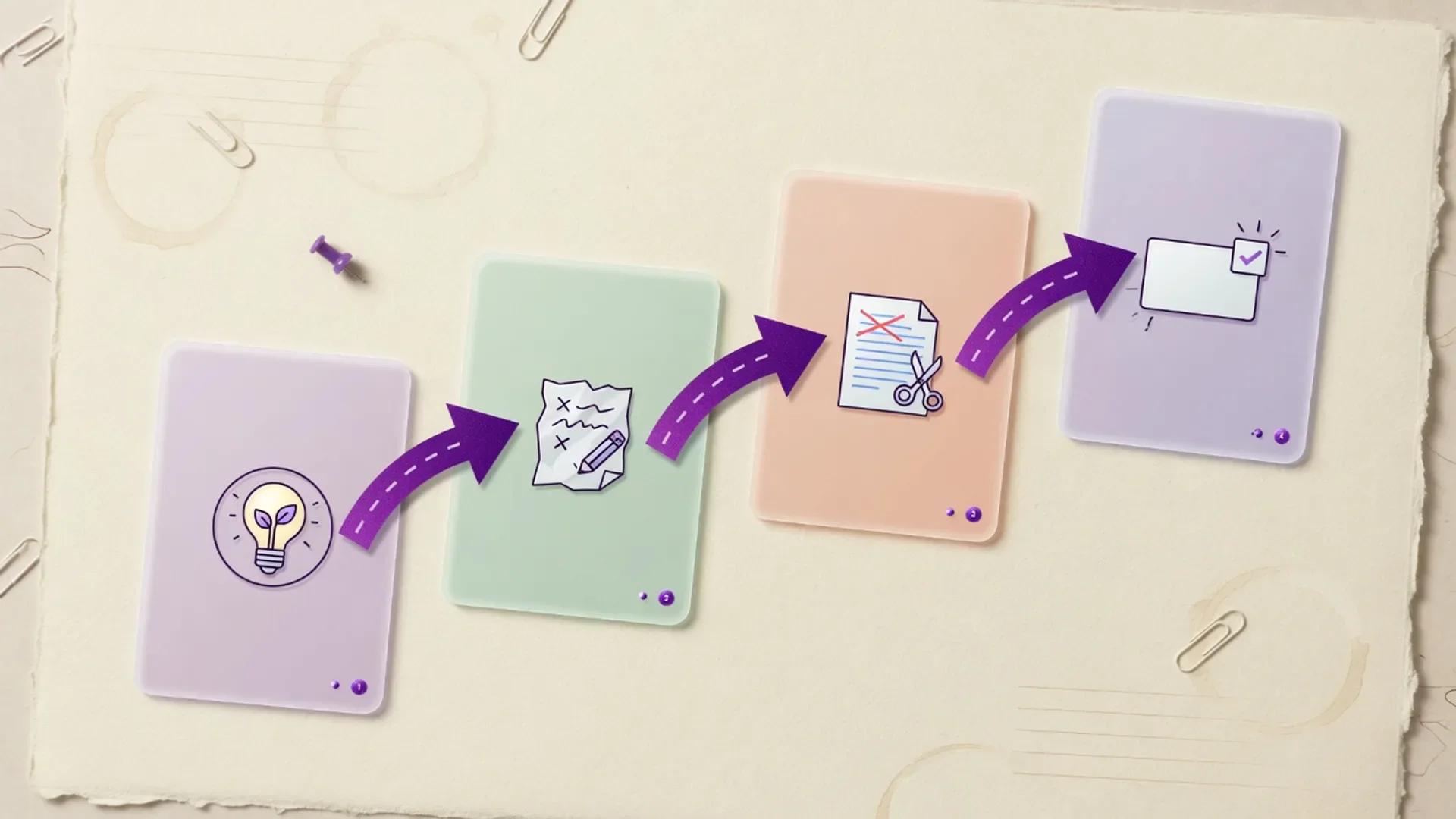
AI Content Marketing Pipeline
A human-led AI content marketing pipeline for turning audience evidence into cited, on-brand campaigns and measurable demand.

Customer Support AI Workflow
A practical, policy-first customer support AI workflow for triaging tickets, drafting replies, grounding agents in your knowledge base, and closing the loop with CRM context and automation, while keeping humans responsible for high-risk resolutions.

Best Claude Alternatives in 2026
A researched look at five Claude alternatives—ChatGPT, Google Gemini, Microsoft Copilot, Perplexity, and DeepSeek—plus a sixth pick from Mistral, compared on price, capability, and fit.
Best Cursor Alternatives in 2026
Hands-off editorials guide to the five Cursor alternatives we trust most in 2026 — GitHub Copilot, Windsurf (now Devin Desktop), Claude Code, Cody, and Tabnine — with verified 2026 pricing, model access, and where each one wins.
Next step
Compare options side by side
Open head-to-heads, or review the primary product profile.