
Workflow playbook
Founders6 steps7 toolsFounder Weekly Ops AI Workflow
A practical multi-step weekly operating rhythm for founders and solopreneurs who use AI to research, plan, ship content and outreach, and keep light CRM and automation hygiene—without inventing metrics or outsourcing judgment.
Best for · Founders, solopreneurs, and early-stage operators running product, marketing, and sales with limited headcount.
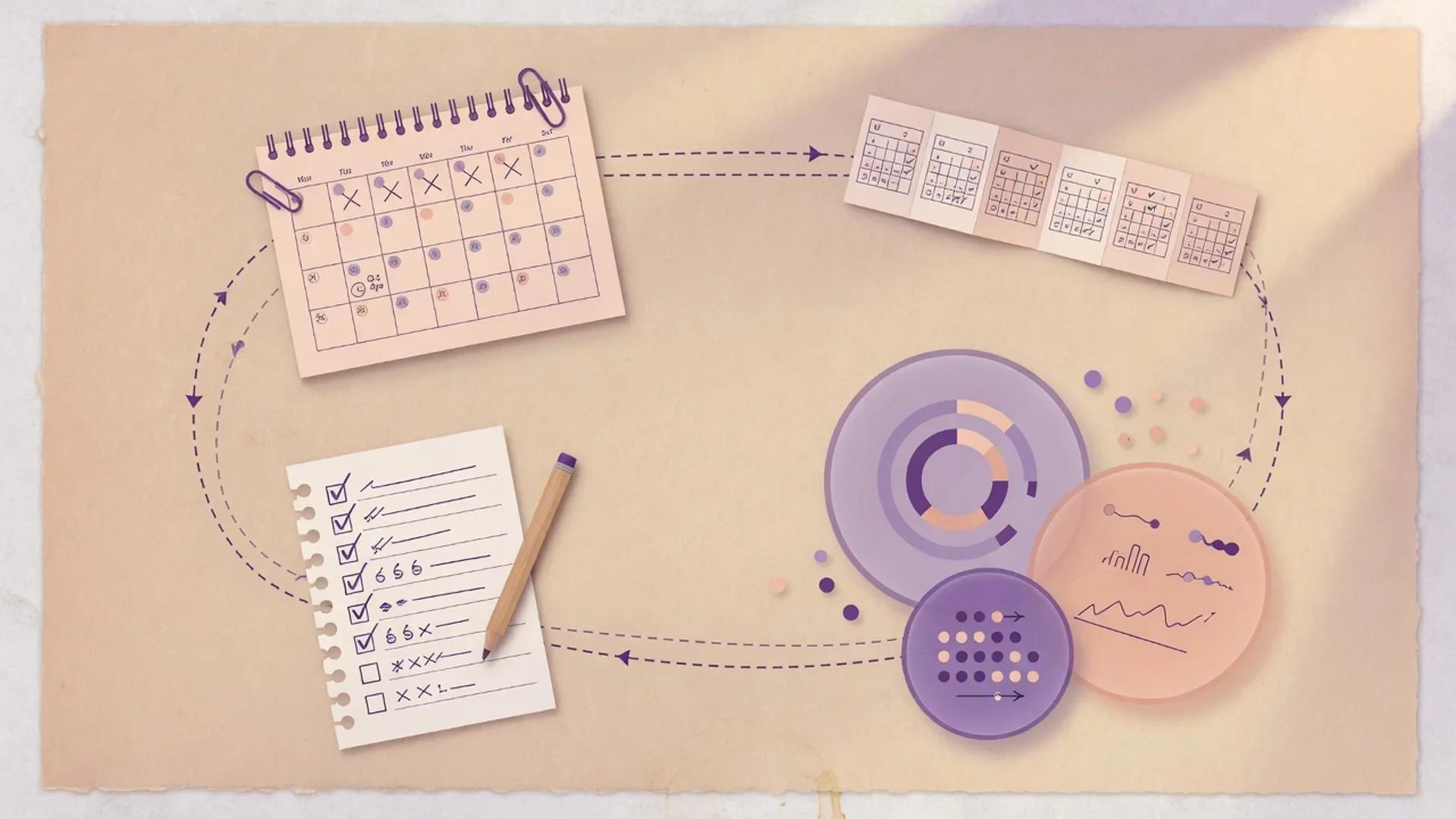
Playbook
Steps
Step 1
Close last week and set this week's three outcomes
Review what shipped, what stalled, and cash or pipeline reality. Write three concrete outcomes for the week (not a task dump). Capture risks and decisions that need a human owner. Do not open generative tools until the week has a clear success definition.
Step 2
Research signals that affect product or GTM
Scan competitor moves, customer language, regulatory or market news, and anything that changes your offer or messaging. Use a citation-oriented research assistant, save primary links, and flag claims that still need verification before you act on them.
Step 3
Plan content and distribution for the week
Turn research and product updates into a small content plan—one primary narrative plus channel variants. Prefer careful drafting for the master piece, then shorter repurposes. Keep claims tied to approved sources and your actual product state.
Step 4
Run outreach and light pipeline work
Draft personalized founder outreach, follow-ups, and reply templates grounded in real account context. Log notes and next steps in CRM fields you will actually maintain. Humans approve anything that makes a commitment, discount, or factual claim about the customer.
Step 5
Automate handoffs you refuse to do manually again
Connect form fills, calendar events, status updates, Slack or email notifications, and CRM task creation so admin work does not eat the week. Keep approval gates manual for customer-facing messages, billing changes, and irreversible actions.
Step 6
Review metrics, write the founder memo, and reset
Compare outcomes to the three weekly goals. Note what worked, what to kill, and what needs deeper research next week. Archive decisions and open questions in your workspace so next Monday starts from memory, not chat history.


Notes
Details
Founder weekly ops AI workflow: what it actually is
A founder weekly ops AI workflow is a small, repeatable weekly rhythm in which AI handles research, drafting, CRM hygiene, and follow-up handoffs while a human owns outcomes, claims, and customer commitments. It replaces chaotic daily prompting with a six-step Monday-to-Friday cadence that ends with evidence of progress instead of a tired chat history.
This workflow is the spine of AIUncovers’ how-we-actually-work content. For a broader content cadence once GTM stabilizes, see the AI content marketing pipeline. For pipeline-heavy weeks, pair this rhythm with the sales pipeline AI workflow. For meeting-heavy weeks, use the meeting notes to action AI workflow.
Why this founder weekly ops AI workflow exists
Founders rarely fail because they lack another AI app. They fail because the week fills with reactive chat, unlogged outreach, and content that never ships. This workflow turns AI into a weekly operating system—research, plan, ship, hand off, review—while keeping humans responsible for truth, money, and customer commitments.
The closer AI assistants get to agentic behavior, the more important that human guardrail becomes. OpenAI’s Lockdown Mode documentation, for example, exists because frontier agents can both speed up routine work and accelerate the path from a malicious instruction to an outbound action — see Lockdown Mode’s note that prompt injection is “a frontier, challenging research problem.” The same logic applies to a solo founder’s week: speed without accountability does not produce progress.
Operating principles I keep returning to
These are the rules I keep on one Notion page and re-read every Monday. They are simple on purpose.
- Outcomes before tools. Three weekly goals beat twenty half-started chats.
- Sources before strategy pivots. If you cannot cite it, do not reorganize the company around it.
- Master narrative before channel spam. One true story, many formats.
- CRM truth before memory. Durable notes live in systems you open on Monday.
- Automate logistics, not accountability. Humans own claims, discounts, and roadmap promises.
If a week breaks one of these, it usually shows up on Friday as “busy but not better.” Rename the rule you broke in the founder memo and try again.
Suggested team roles when the founder is the team
Solo founders wear every hat. A weekly rhythm still benefits from clearly named roles, even if the founder plays them all.
- Founder / operator: sets the three weekly outcomes, approves claims, owns key relationships.
- Part-time marketer or contractor (optional): packages content variants, updates the CRM with logged notes.
- Advisor or peer review (optional): stress-tests a decision once per week via a 15-minute call.
A practical separation is generate sessions (drafting, enrichment, summarization) versus send / publish / commit sessions (anything that leaves your building). Even a 30-minute pause before publishing is enough to catch most hallucinations, and it matches what OpenAI recommends for agentic tools more generally.
Comparison: lean founder stack vs full agentic stack
There is no single right stack. Below is the decision matrix I use when a founder asks “what do I actually need?” It compares two reasonable shapes — a lean, mostly-prompts stack and a fuller agentic stack — across the six steps in this workflow.
| Workflow step | Lean stack (1–2 tools) | Full agentic stack | Best for |
|---|---|---|---|
| Close last week + set outcomes | Notion AI | Notion AI + HubSpot AI dashboard | Solo founders who already live in Notion; founders with live pipelines |
| Research signals | Perplexity (Pro) | Perplexity + Claude with web search | Content-heavy weeks; product or policy pivots |
| Plan content | Claude or ChatGPT | ChatGPT + Claude + Notion AI planning DB | Founders shipping 1–3 posts/week; lean teams who batch on Monday |
| Outreach + CRM hygiene | HubSpot AI | HubSpot AI + ChatGPT + Claude | Founders with 10+ active deals; high-touch relationships |
| Automate handoffs | Zapier (1–2 Zaps) | Zapier AI + Make + HubSpot AI workflows | Lean founders who want admin off their plate; operators with 5+ repeatable workflows |
| Review + founder memo | Notion AI | Notion AI + Claude + HubSpot AI reporting | Anyone; teams running a real weekly review meeting |
Both shapes respect the same rule: humans still approve anything that makes a factual claim, commits customer money, or commits customer time.
The six-step founder weekly ops AI workflow
The cadence below is what I treat as the default week. Adjust the order, not the steps, when reality intrudes.
Step 1 — Close last week and set this week’s three outcomes
A weekly rhythm only works if last week actually closes before this week opens. I write three concrete outcomes, not a task list, because tasks collapse the moment Slack lights up. Outcomes survive.
What to actually do on Monday morning:
- Open the founder memo from last Friday and check what you said you would ship.
- Pull three numbers from your CRM or accounting tool: cash or runway weeks, qualified pipeline added, deals moved to next stage. No more than three — they are the dashboard you defend.
- Write three outcomes for this week in the form “by Friday I will have shipped X, with Y, and Z knows about it.”
- Flag any decisions that need a human owner (refunds, hiring, pricing changes, customer commitments).
Don’t open a generative tool until the three outcomes are on the page. Anthropic’s responsible-scaling research keeps talking about capable agents in the same terms: deployment only after safeguards are in place. Your week is the deployment unit — do the safeguard work first.
Step 2 — Research signals that affect product or GTM
Mid-week is when most founders should do a focused research pass. The point is not to read everything — it is to catch the few signals that would change what you ship on Friday.
Sources to watch across categories:
- Regulatory and policy signals: the European Commission’s digital strategy page flags AI Act phases that affect how AI features are marketed, and the AI Act enforcement regime begins on 2 August 2026.
- Security signals: CISA’s Five Eyes statement is unusually candid about how frontier AI is shrinking the time between vulnerability discovery and exploitation to months, not years.
- Tool capability signals: Anthropic’s Claude Opus 5 release on 24 July 2026 sets a new model floor on agentic coding work — useful context if your product sits near AI-assisted dev.
- Platform signal: OpenAI’s ChatGPT release notes page is the single best summary of shipping changes, including the GPT-5.5 Instant rollout to the free plan.
- Help center wisdom: Notion’s AI security practices page is a good reference for what to expect from a subprocessor-based AI product.
The rule is the same as for the workflow itself: save the primary link, write the claim in your own words, and flag anything you would not stake a customer relationship on.
Step 3 — Plan content and distribution for the week
Content compounds when it has a master narrative. Pick one core piece for the week — a blog post, a teardown, a founder memo — and let everything else be a format variant of it. Notion’s marketing templates are designed around this master-plus-variants idea and they ship with AI prompts already wired in.
Three practical questions before drafting:
- What is the one sentence a reader should remember on Sunday?
- Which two channels will I publish to, and which two am I explicitly skipping?
- What claim in the draft needs a citation I can defend?
OpenAI’s release notes are a useful reminder of how quickly cadence shifts: the team shipped Health in ChatGPT on 23 July 2026 and updated the desktop app experience within the same week. You do not need that pace, but you do need consistency.
Step 4 — Run outreach and light pipeline work
Outreach is where AI saves the most time and causes the most avoidable damage. The discipline is to draft against real account context — what the lead actually does, what they last said, what stage they are at — and to keep a human in the loop for anything that commits time, money, or a roadmap.
Three things to keep in your CRM or spreadsheet this week:
- Account one-liner: what they do, what they care about this quarter, who the decision-maker is.
- Next step with a date: not “follow up” — a specific commitment by a specific day.
- Open objections: anything they have said they need to see before they say yes.
HubSpot’s Agent Hub describes its prospecting agent as something that “watches accounts for signals that they’re ready to buy and reaches out automatically” and warns that the platform includes “approve automatic CRM updates and follow-up drafts” gates. That last phrase is exactly the right model for a solo founder: drafts run, humans approve.
Step 5 — Automate handoffs you refuse to do manually again
Automations live or die by their failure owners. Every Zap, Make scenario, or HubSpot workflow needs a human who knows it is broken — and an exit ramp when something misfires.
The CISA + ASD’s ACSC joint guidance on agentic AI is explicit on this point: design for containment and fast shutdown, not just for happy-path success. OpenAI’s Lockdown Mode documentation goes further with a model worth copying for internal automations: restrict outbound network access by default, escalate only what a human has approved.
Practical rules of thumb:
- Automate logistics: routing, enrichment, status updates, task creation, calendar holds, internal notifications.
- Keep humans in the loop on commitments: discount approvals, refund decisions, customer-facing messages, anything that touches billing or data deletion.
- Treat errors as design input: every failed Zap in production should produce a single paragraph in your Friday founder memo describing what you would change.
Zapier now advertises 9,000+ app integrations and a dedicated AI category, which is a useful proxy for the size of the connective tissue available to a solo operator. Make reports 400,000+ customers and a strong focus on visual scenarios for non-developers. Either is fine — pick the one whose failure mode you can debug fastest.
Step 6 — Review metrics, write the founder memo, and reset
Friday is the most skipped step in any founder weekly rhythm. Skipping it turns Monday into archaeology. The founder memo is short on purpose: three outcomes vs. three actuals, one thing to keep, one thing to kill, one research question for next week.
A good Friday memo template:
- Three outcomes for the week (from Monday).
- Three actuals in cash, pipeline, or shipped scope.
- Variance: which outcomes landed, which slipped, and the one-sentence reason.
- Decisions: anything you locked in this week that next Monday needs to know.
- Open questions: what next week’s research pass needs to settle.
Notion’s meeting notes and AI summaries are built for this kind of structured weekly review; the Notion AI page positions them as “transform meeting notes into actionable summaries and surface insights automatically.” If your workspace is somewhere else, the structure above still applies.
Reusable templates (labeled examples)
These are templates, not rules. Drop them into Notion, Google Docs, or whatever your operating doc lives in.
Example template A: Monday outcomes block
Week of: YYYY-MM-DD
Three weekly outcomes (shipped, not "looked at"):
1. By Friday I will have shipped ____, with ____ attached, and ____ reviewed it.
2. By Friday I will have shipped ____, with ____ attached, and ____ reviewed it.
3. By Friday I will have shipped ____, with ____ attached, and ____ reviewed it.

Decisions waiting on a human (refund / hire / pricing / customer commitment):
- ________________
Cash + pipeline numbers as of Monday:
- Weeks of runway: __
- Qualified pipeline added (last 7 days): __
- Deals moved to next stage (last 7 days): __
Example template B: Friday founder memo
Week of: YYYY-MM-DD
Three outcomes → three actuals:
1. ________________
2. ________________
3. ________________

Variance (what slipped and why, one sentence each):
- ________________

Decisions locked this week (next Monday must know):
- ________________

Open questions for next week's research pass:
- ________________

One thing to keep doing: ________________
One thing to stop doing: ________________
Example template C: Outreach draft checklist
Lead: ________________
Account one-liner: ________________
Last contact: ________________
Next step (specific, dated): ________________
Open objections: ________________

Drafted by AI on: ________________
Reviewed and approved by me on: ________________
What I changed: ________________
These are starting points. The pattern — explicit outcome, explicit owner, explicit review step — is what carries across Notion, HubSpot, or even a paper notebook.
Quality bar: when the week is actually ready to ship
Ship the week only when:
- Three outcomes are written and measurable enough to score themselves.
- Research-backed pivots have saved primary sources I can show.
- Customer-facing copy was human-reviewed.
- CRM next steps exist for every live deal, with dates.
- Automations have named failure owners and an obvious off switch.
The last point matters more than the others. The Five Eyes cyber agencies put it bluntly in their June 2026 joint statement: “secure-by-design and secure-by-default must become standard practice – not an aspiration,” and they tell leadership to “limit who can access critical systems” and treat response plans as a known weakness until tested. A solo founder’s version of that is: every automated handoff needs a human who knows it is broken and the time it would take to notice.
Things I do not do with AI in this workflow
Honesty helps here, because the workflow is most useful where AI is not doing the work.
- No auto-sending founder outreach. I keep AI in the draft stage and read every sendable.
- No AI on refund or pricing decisions. Same reason — humans own money.
- No AI on the three Friday memo judgments. AI can summarize; it cannot decide what to keep.
- No AI prompts that bypass workspace permissions. Notion’s Custom Agents docs are very clear that “anyone who can use an agent might access information through it that they couldn’t access directly,” and that workspace admins must control agent sharing and audit logs.
- No locking sensitive data into always-on background automations. The OpenAI model picker warns that smaller models “may be more vulnerable to prompt injection” and recommends larger models where untrusted content enters the workflow.
These are not lines I drew because the work is precious. They are the lines that let the rest of the workflow keep moving fast.
AI tells and corporate filler I avoid in this workflow
A few reminders I keep on a sticky note:
- “In today’s fast-paced business environment” — delete.
- “Unlock the power of” — delete.
- “Game-changer” — delete.
- Filler transitions like “moreover” and “furthermore” — usually “and” or just a period.
- Made-up numbers from an AI summary that did not cite a source — flag and verify.
If a draft reads like a press release, it usually came from a prompt that wanted a press release. The OpenAI prompt-injection guidance is honest about the risk: malicious instructions hidden in untrusted content can shape the response, so the safer habit is “specific instructions and narrow latitude” rather than broad “do whatever you think is best.”
FAQ: founder weekly ops AI workflow
How many tools does a founder actually need for this workflow? Three is the honest answer for most weeks: a research assistant, a drafting assistant, and one automation layer. Notion AI plus ChatGPT plus Zapier covers the lean stack. Add HubSpot AI once your pipeline justifies a CRM, and add Claude when you want a second pair of eyes on a long draft.
What if I have no CRM yet? Start with a spreadsheet that has the three columns the workflow cares about: account name, next step with date, open objections. A CRM’s value comes from those three columns being queryable. Do not buy a CRM before you can maintain those three columns by hand.
Is the Monday–Friday cadence strict? No. The six steps are the spine. A founder returning from a customer trip may run step 5 (handoffs) on Tuesday and step 1 (closure) on Wednesday. What matters is that every step runs at least once per week and that the Friday memo actually gets written.
Where does the EU AI Act fit in for a US founder? Mostly in research (step 2) and quality bar. From 2 August 2026 the European AI Office enforces the AI Act’s rules and the new transparency requirements, so any founder shipping into the EU needs at least a basic read of obligations, especially around transparency for AI-generated content. For non-EU founders, the same habits — disclose where AI wrote the message, document the model’s role — are good practice everywhere.
What does “Lockdown Mode” have to do with a founder workflow? It is the cleanest public writeup of what an agentic AI safety posture looks like in 2026: limit outbound network access by default, prefer cached over live data for sensitive tasks, and require explicit user confirmation for consequential actions. Every founder with an automated outbound email should be able to describe their equivalent of those three rules in two sentences.
Can I trust AI with my CRM notes? AI can draft notes; it cannot be the system of record. The CISA–ASD guidance on agentic AI insists on durable logging, scoped permissions, and a “fast shutdown” path. A solo founder’s version is: notes live in the CRM, the AI drafts them, and a human signs off before they are visible to the account.
Stack
Tools used in this workflow

Notion AI
Editorially ResearchedAI writing, knowledge agents, and meeting notes built into the Notion workspace teams already use.
Stands out · Notion AI is the only AI built directly into the workspace where teams already store docs, wikis, projects, and meeting notes — so it works on your real context, not in a separate chat window.

ChatGPT
Editorially ResearchedOpenAI's general-purpose AI assistant for writing, analysis, coding help, and everyday knowledge work.
Stands out · A mainstream, general-purpose AI assistant with the broadest multimodal feature surface and one of the largest everyday user bases for conversational AI.


Claude
Editorially ResearchedAnthropic's AI assistant focused on careful writing, long-context work, and the strongest agentic coding stack as of July 2026.
Stands out · A general-purpose assistant and agent platform optimized for careful writing, 1M-token long-context work, and the strongest agentic coding surface in 2026 — anchored by Opus 5, Sonnet 5, Fable 5, Claude Code, and Claude Cowork.


Perplexity
Editorially ResearchedAI-powered answer engine that pairs search with cited synthesis for faster research.
Stands out · An answer engine built around citations, then extended to an AI browser and a multi-model Computer that runs work for you.

Zapier AI
Editorially ResearchedThe no-code automation platform that quietly became the AI governance layer for the rest of your SaaS stack.
Best for · Teams that need broad app connectivity, AI-assisted workflow building, and a single governance layer for every AI surface they adopt.


Make
Editorially ResearchedVisual AI automation platform for building complex multi-app scenarios and AI agents on a transparent canvas.
Stands out · A visual AI automation canvas where next-gen Make AI Agents, MCP, and Make Grid observability ship together on every paid plan — purpose-built for complex, multi-app workflows.


HubSpot AI
Editorially ResearchedHubSpot's Breeze AI and Agent Hub bring context-aware generative and agentic AI into the CRM, sales, marketing, and service hubs where your customer data a…
Stands out · AI assistance and autonomous agents embedded across the HubSpot customer platform, with credit-based pricing that only bills when the agent actually delivers work.
Related
Related reading
HubSpot AI vs ChatGPT
Pick HubSpot AI when the work is contacts, deals, tickets, and campaigns inside HubSpot. Pick ChatGPT when the work is open-ended drafting, research, multi-tool reasoning, or anything not tied to a CRM object.

Notion AI vs Claude
Choose Notion AI when your team's knowledge, projects, and meetings already live in Notion and you want an agent that can take action inside that workspace. Choose Claude when you want the best standalone writing, reasoning, and long-document analysis regardless of which wiki you use.
Zapier AI vs n8n
Pick Zapier AI when business users need the fastest path to a working automation across 9,000+ mainstream SaaS apps. Pick n8n when engineers want code, self-host, and execution-based pricing for complex or high-volume AI workflows.

ChatGPT vs Perplexity
Choose ChatGPT for broad multimodal drafting, domain assistants, and a billion-user ecosystem. Choose Perplexity when source-visible research, citation-first answers, or agentic computer use on local files is the daily bottleneck.

productivity tools
Browse the productivity category

research tools
Browse the research category
Keep building
Explore more playbooks and tools
Browse more workflows, or shortlists built around the same stack.