
Structured review
Score 84/100Strong4 min read
GitHub Copilot Review (2026): Pricing, Models, Security, and Verdict
Research-based GitHub Copilot review for July 2026. Verified pricing, supported AI models, security posture, pros and cons, alternatives like Cursor, and who should buy.

Editor's verdict
Verdict
GitHub Copilot is the safest default for developers who want AI assistance inside the editor they already use, and it now ships with the multi-model flexibility and agents that 2026 buyers expect.
Choose Copilot if your team is standardized on GitHub, VS Code, or JetBrains and you want low-friction adoption. Pilot Cursor first if you want an AI-first editor experience and can absorb a tool switch.
Fit
Who it's for
Who should buy
- Professional developers in VS Code, JetBrains, Visual Studio, Xcode, Neovim, or Eclipse
- Teams on GitHub Enterprise Cloud that need policy, audit, and indemnity controls
- Engineers who want autocomplete, chat, and agents in one subscription without a new IDE
Who should not
- Non-developers who want a general writing assistant
- Organizations blocked from cloud AI tools with no approved path
- Buyers who need GitHub Enterprise Server self-hosted Copilot (not currently available)
Tradeoffs
Strengths & limitations
Strengths
- Lowest change-management cost: lives in the editor and on github.com
- Broad model catalog: OpenAI, Anthropic, Google, xAI, Moonshot, and Microsoft
- Mature governance: org policies, audit logs, content exclusions, indemnity
- Free tier, student tier, and verified OSS maintainer access
Limitations
- Suggestions still need human review for correctness and security
- Quality varies by language and codebase context
- Cloud agent and frontier models live behind paid tiers
- Enterprise Server customers cannot deploy Copilot on-prem
Deep dive
Full review
GitHub Copilot Review (2026): Pricing, Models, Security, and Verdict
GitHub Copilot is the AI coding assistant from GitHub and Microsoft that lives in your editor, in your terminal, and on github.com. This July 2026 review covers the verified pricing, the current model catalog, the security and copyright posture, where it still falls short, and who should buy it.
What is GitHub Copilot?
GitHub Copilot is a cloud-hosted AI pair programmer built by GitHub with models from OpenAI, Anthropic, Google, xAI, Moonshot AI, and Microsoft. It started as an inline autocomplete for Visual Studio Code in 2021 and has expanded into in-editor chat, multi-file editing, autonomous cloud agents, pull-request reviews, and a desktop app for assigning work directly to AI from an issue (GitHub Copilot - Wikipedia, The Verge, October 2024).
The product now spans six paid tiers, a free tier, and a student tier, and it is available as an extension in Visual Studio Code, Visual Studio, JetBrains IDEs, Xcode, Neovim, Eclipse, the GitHub CLI, and Windows Terminal (Plans for GitHub Copilot).
GitHub Copilot pricing in July 2026
GitHub Copilot has six paid plans plus Free and Student, ranging from $0 to $100 per user per month, with usage-based AI credits on top of fixed prices. The fixed prices and the headline inclusions below come from GitHub’s pricing page and the official plans documentation, which agree on every number.
| Plan | Price (USD) | Headline inclusions | AI credits / month |
|---|---|---|---|
| Free | $0 | 2,000 completions and 50 chat requests, auto model selection only | Allowance via auto selection |
| Student | Free (verified) | Unlimited completions, allowance of AI credits, auto model selection | Allowance via auto selection |
| Pro | $10 / user / mo | Unlimited completions, model selection, cloud agent, code review, $15 credit allowance | ~1,500 total credits |
| Pro+ | $39 / user / mo | Premium models including Claude Opus, 4x+ Pro usage, $70 credit allowance | ~7,000 total credits |
| Max | $100 / user / mo | Priority access, 2.9x+ Pro+ usage, $200 credit allowance | ~20,000 total credits |
| Business | $19 / granted seat / mo | Org controls, indemnity, broad model catalog, pooled credits | Pooled per organization |
| Enterprise | $39 / granted seat / mo | Priority access, 2x Business usage, Copilot on github.com | Pooled per enterprise |
Sourced callout (pricing & credits): Fixed plan prices are confirmed on GitHub Pricing and cross-checked in Plans for GitHub Copilot. Credit allowance numbers (1,500 / 7,000 / 20,000 across Pro / Pro+ / Max) are pulled from Usage-based billing for individuals, where 1 AI credit = $0.01 USD. GitHub’s own features page quotes the per-plan dollar allowances as $15 / $70 / $200, which is internally consistent.
New self-serve sign-ups for Copilot Business are temporarily paused on GitHub Free and Team plans starting 22 April 2026; enterprise onboarding continues through sales (Plans for GitHub Copilot).
What AI models does GitHub Copilot support in 2026?
GitHub Copilot lets paying users pick from a multi-vendor model catalog rather than locking to a single provider, and Free and Student users are limited to auto model selection.
The supported-models page lists, as of July 2026, generally available releases from OpenAI (the GPT-5.4 and GPT-5.6 families), Anthropic (Claude Haiku 4.5, Claude Sonnet 4.5 / 4.6 / 5, Claude Opus 4.5 / 4.6 / 4.7 / 4.8 / 5, plus Claude Fable 5), Google (Gemini 3.5 Flash, Gemini 3.6 Flash, with Gemini 3.1 Pro in public preview), xAI (Grok 4.5), Moonshot AI (Kimi K2.7 Code), Microsoft (MAI-Code-1-Flash), and GitHub’s own Raptor mini (a fine-tuned GPT-5 mini) (Supported AI models in GitHub Copilot).
The July 2026 changelog shows that frontier models keep rotating: Claude Opus 5 went GA on 24 July 2026, Grok 4.5 on 28 July, and Gemini 3.6 Flash on 21 July (GitHub Changelog - Copilot label, July 2026). Gemini 2.5 Pro and Gemini 3 Flash were deprecated on 31 July 2026.
Some models also support a 1 million token context window and configurable reasoning levels in VS Code and the Copilot CLI, which matters when you ask the agent to reason across a large repo (Supported AI models in GitHub Copilot).
Features across the product
Copilot is no longer a single autocomplete bar. The product combines five surfaces that ship together in one subscription:
- Inline completions and next edit suggestions. Standard tab-to-accept in any supported IDE; unlimited on every paid plan, 2,000 per month on Free (GitHub Pricing).
- Copilot Chat in the IDE. Conversational help with the file, selection, and workspace as context. Available in VS Code, JetBrains, and Visual Studio.
- Agent mode in the IDE. Multi-file edits with a Keep / Undo panel, surfaced from a chat prompt (GitHub Features).
- Copilot cloud agent. Assignable from an issue, the agent spins up a dev environment, opens a draft pull request, and pushes commits as it works (Wikipedia - GitHub Copilot, GitHub Features).
- Copilot code review. Runs on pull requests; can also be enabled for unlicensed authors in an organization, billed to the org as AI credits, with admins gating the policy and budget (GitHub Features FAQ).
The GitHub Copilot app (the desktop workspace) is now generally available to all users as of 7 July 2026 (GitHub Changelog - Copilot label, July 2026).
How fast does it actually make you?
GitHub’s own 2022 controlled study is still the most-cited number, and it is a GitHub number, not a third-party benchmark. In a randomized experiment with 95 professional developers writing a JavaScript HTTP server, the Copilot group finished 55% faster on average (1h 11m vs 2h 41m) and had a higher completion rate (78% vs 70%); the 95% confidence interval for the speed gain was 21% to 89% (Research: quantifying GitHub Copilot’s impact on developer productivity and happiness).
The same survey of more than 2,000 developers reported that 60-75% felt more fulfilled with their job, 73% said Copilot helped them stay in flow, and 87% said it preserved mental effort during repetitive tasks. I treat these as GitHub-published survey data, not independent benchmarks.
A 2021 study at NYU of 24 students using OpenAI Codex (Copilot’s predecessor model) found that students with access completed a string-manipulation task faster but the resulting code was more often incorrect or insecure; I keep that caveat in mind when I see speed headlines (Wikipedia - GitHub Copilot, citing the Australasian Computing Education Conference paper).
Is GitHub Copilot secure?
Short answer: secure enough for most teams with reasonable guardrails, but the suggestions are not reviewed code. A few specific things to know:
- Insecure-code risk is real and measured. Pearce, Ahmad, Tan, Dolan-Gavitt, and Karri at NYU tested Copilot across 89 scenarios producing 1,689 programs and found approximately 40% contained security vulnerabilities drawn from MITRE’s Top 25 CWEs (Asleep at the Keyboard?, arXiv:2108.09293). The 2021 paper is dated, and Copilot has added filters since, but the underlying training data has not been replaced.
- Code-referencing filter is on by default. Copilot suppresses suggestions that match public code on GitHub by 65 lexemes or more, and it scans outputs for common vulnerable patterns including hardcoded credentials, SQL injection, and path injection (GitHub Features FAQ).
- Less than 1% of suggestions match public code verbatim. GitHub’s own research puts the matching rate under 1% when the optional filter is enabled (GitHub Features FAQ).
- IP indemnity is real for paid plans. Microsoft’s Copilot Copyright Commitment defends commercial customers and pays adverse judgments, provided you use the built-in content filters and don’t try to generate infringing material. It now extends to Azure OpenAI Service as the Customer Copyright Commitment (Microsoft On the Issues, September 2023).
- Your code is not used to train shared models on Business or Enterprise. GitHub explicitly states it does not use Copilot Business or Enterprise data to train its models. Free, Pro, and Pro+ subscribers can opt out of having their prompts and suggestions used for model improvement at any time (GitHub Features FAQ - Privacy).
- Data residency. Business and Enterprise run on Microsoft Azure; the Trust Center documents compliance posture, retention rules, and audit-log access (GitHub Copilot Trust Center).
The 2022 class-action lawsuit (Doe v. GitHub) over training data is still relevant background; the case is ongoing and I do not treat its existence as a verdict either way (Wikipedia - GitHub Copilot).
Privacy and data handling at a glance
| Data category | Free / Pro / Pro+ | Business / Enterprise |
|---|---|---|
| Prompts and suggestions (IDE chat, completions) | Not retained for completions; 28-day retention for chat on github.com, mobile, and CLI | Not retained for IDE chat and completions; 28-day retention elsewhere |
| User engagement data (accepts, dismisses, errors) | 2 years | 2 years |
| Used to improve models | Opt-out available in account settings | No |
Source: GitHub Features FAQ - Privacy and Plans for GitHub Copilot.
Pros and cons from the documentation
Pros
- Lives in the editor developers already use, so onboarding is one extension install.
- The multi-model catalog is documented behavior, not marketing: users can switch between Claude Sonnet 4.6 and GPT-5.5 inside the same chat.
- The cloud agent can pick up a well-scoped GitHub issue and return a draft pull request; the work is auditable and revertable.
- Business plan ships with the indemnity, audit logs, content exclusions, and SAML/SCIM controls that enterprise security teams already expect.
- Free tier, student tier, and OSS maintainer access keep the door open for individual developers.
Cons
- Suggestion quality still varies by language and codebase; the 40% insecure-code finding is a reminder, not a footnote.
- Frontier models like Claude Opus 5 and the GPT-5.6 family sit behind Pro+ or Max, and heavy cloud-agent use eats AI credits fast.
- Copilot is not available for GitHub Enterprise Server self-hosted deployments (Plans for GitHub Copilot).
- Natural-language prompts in non-English languages get noticeably weaker results, per GitHub’s own documentation (GitHub Features FAQ).
- The Copilot Copyright Commitment, while meaningful, does require that you keep the built-in filters on and not try to generate infringing material on purpose.
How does Copilot compare to Cursor and other alternatives?
Cursor remains the strongest alternative if you are willing to switch editors; Tabnine, Codeium, and Amazon Q Developer are the relevant picks if you cannot or will not move.
| Tool | Best fit | Notable difference vs Copilot |
|---|---|---|
| GitHub Copilot | Teams on GitHub who want one subscription for editor, CLI, web, and PR review | Native to GitHub, broadest model catalog, business-grade governance |
| Cursor (Anysphere) | Individuals willing to switch to a VS Code fork for an AI-first editor | Deeper multi-file agent workflows, different pricing model |
| Tabnine | Enterprises with strict privacy or air-gapped requirements | Runs private models, fewer cloud-agent features |
| Amazon Q Developer | AWS-heavy shops | Tight AWS integration, less focus on multi-model choice |
| Codeium / Windsurf | Developers who want a free individual tier without Copilot’s 2,000-completion cap | Different model and roadmap |
| Claude Code (Anthropic) | Terminal-first agentic workflows | First-party Anthropic experience, separate from Copilot |
Both remain worth piloting: Copilot is the institutional default, and Cursor is the right second pilot for an AI-native editor.
Who should buy Copilot in 2026
Buy Copilot if you are a professional developer in a supported IDE, on a team that is already on GitHub, and you want one AI subscription that covers autocomplete, chat, agents, and PR review. The Business plan earns its $19 per seat the moment you need audit logs, content exclusions, SAML/SCIM, and IP indemnity; the Pro+ plan makes sense if you actually use Claude Opus 5, GPT-5.6 Sol, or 1M-token-context tasks enough to justify $39 a month.
Who should skip it
Skip Copilot if you are not writing code, if your organization cannot use cloud AI tools without an approved path, or if you need self-hosted Copilot on GitHub Enterprise Server (which is not currently available). If you specifically want an AI-first editor, pilot Cursor first; do not assume Copilot’s editor experience will feel equivalent.
GitHub Copilot FAQ
Is GitHub Copilot worth it in 2026?
Yes for most professional developers. The 55% speed gain in GitHub’s 2022 controlled study came from JavaScript HTTP-server work; expect real but smaller gains on less boilerplate-heavy code, and budget for the time you spend reviewing suggestions.
How much does GitHub Copilot cost per month?
$0 for Free, $10 for Pro, $39 for Pro+, $100 for Max, $19 per Business seat, and $39 per Enterprise seat, plus usage-based AI credits at $0.01 per credit on paid individual plans (GitHub Pricing, Usage-based billing for individuals).
What is the difference between Copilot Pro and Copilot Business?
Pro is for individual developers and includes model selection, the cloud agent, and code review. Business is for organizations on GitHub Free, Team, or Enterprise Cloud and adds centralized policy management, content exclusions, audit logs, pooled AI credits, and the Copilot Copyright Commitment (Plans for GitHub Copilot).
Is GitHub Copilot secure enough for enterprise code?
For most enterprises, yes, with the filters on and the indemnity in place. Independent research still flags insecure patterns in roughly 40% of generated programs across common CWE scenarios; treat suggestions as untrusted input (Asleep at the Keyboard?, arXiv:2108.09293, Microsoft On the Issues).
What AI models does GitHub Copilot support in 2026?
OpenAI (GPT-5.4 / 5.5 / 5.6 families, GPT-5.3-Codex, Raptor mini), Anthropic (Claude Haiku 4.5, Sonnet 4.5 / 4.6 / 5, Opus 4.5 / 4.6 / 4.7 / 4.8 / 5, Fable 5), Google (Gemini 3.5 / 3.6 Flash, Gemini 3.1 Pro preview), xAI (Grok 4.5), Moonshot AI (Kimi K2.7 Code), and Microsoft (MAI-Code-1-Flash) (Supported AI models in GitHub Copilot).
Can GitHub Copilot build full apps on its own?
It can take a well-scoped GitHub issue, work in a cloud dev environment, and return a draft pull request. It cannot run a product team; the agent still needs clear acceptance criteria and human review.
Does GitHub Copilot train on my private code?
No on Business and Enterprise. On Free, Pro, and Pro+, GitHub may use your prompts, suggestions, and code snippets to improve its models unless you opt out in your account settings (GitHub Features FAQ - Privacy).
How does GitHub Copilot handle copyright risk?
The code-referencing filter suppresses suggestions that match public GitHub code by 65 lexemes or more, and less than 1% of suggestions match public code when that filter is enabled. Microsoft’s Copilot Copyright Commitment covers commercial customers who keep the filters on (GitHub Features FAQ, Microsoft On the Issues).
Is GitHub Copilot better than Cursor?
They optimize for different things. Copilot is the lowest-friction choice for existing GitHub-and-VS-Code teams; Cursor is the stronger pick if you are willing to switch editors for a more AI-native experience. Pilot both before standardizing.
How do I turn GitHub Copilot off?
Disable the extension in your IDE, or sign in to github.com/settings/copilot and turn off suggestions globally. Admins can also disable Copilot for an organization or block access to Pro and Free at the network layer.
Verdict
GitHub Copilot in July 2026 is the safest institutional default for AI-assisted development, and the gap between it and a dedicated AI editor has narrowed thanks to the multi-model catalog and the cloud agent. It still asks you to review every suggestion, and it still cannot replace a senior engineer’s judgment on architecture, security, or tricky refactors. If your team is on GitHub, start here.
Evidence
Sources
- 01
- 02
- 03
- 04
- 05
- 06
- 07
- 08
- 09
- 10
- 11
- 12
- 13
Related
Related reading

GitHub Copilot vs Cursor
Choose GitHub Copilot when you want AI inside every major IDE, GitHub-native admin, and a coding agent that turns issues into pull requests. Choose Cursor when you want the densest AI-native editing experience, a custom frontier coding model, and fleets of cloud agents.

Best ChatGPT Alternatives in 2026
The best ChatGPT alternatives in 2026 are Claude for general work, Perplexity for cited research, Notion AI for workspace knowledge, GitHub Copilot for GitHub-first coding, and Cursor for agent-led software development.

Best Cursor Alternatives in 2026
Hands-off editorials guide to the five Cursor alternatives we trust most in 2026 — GitHub Copilot, Windsurf (now Devin Desktop), Claude Code, Cody, and Tabnine — with verified 2026 pricing, model access, and where each one wins.

Best GitHub Copilot Alternatives
Looking beyond GitHub Copilot for AI coding help in 2026? These alternatives cover AI-native editors, terminal agents, and enterprise-grade IDE assistants — without fake rankings or invented scores.
Developer AI Coding Workflow
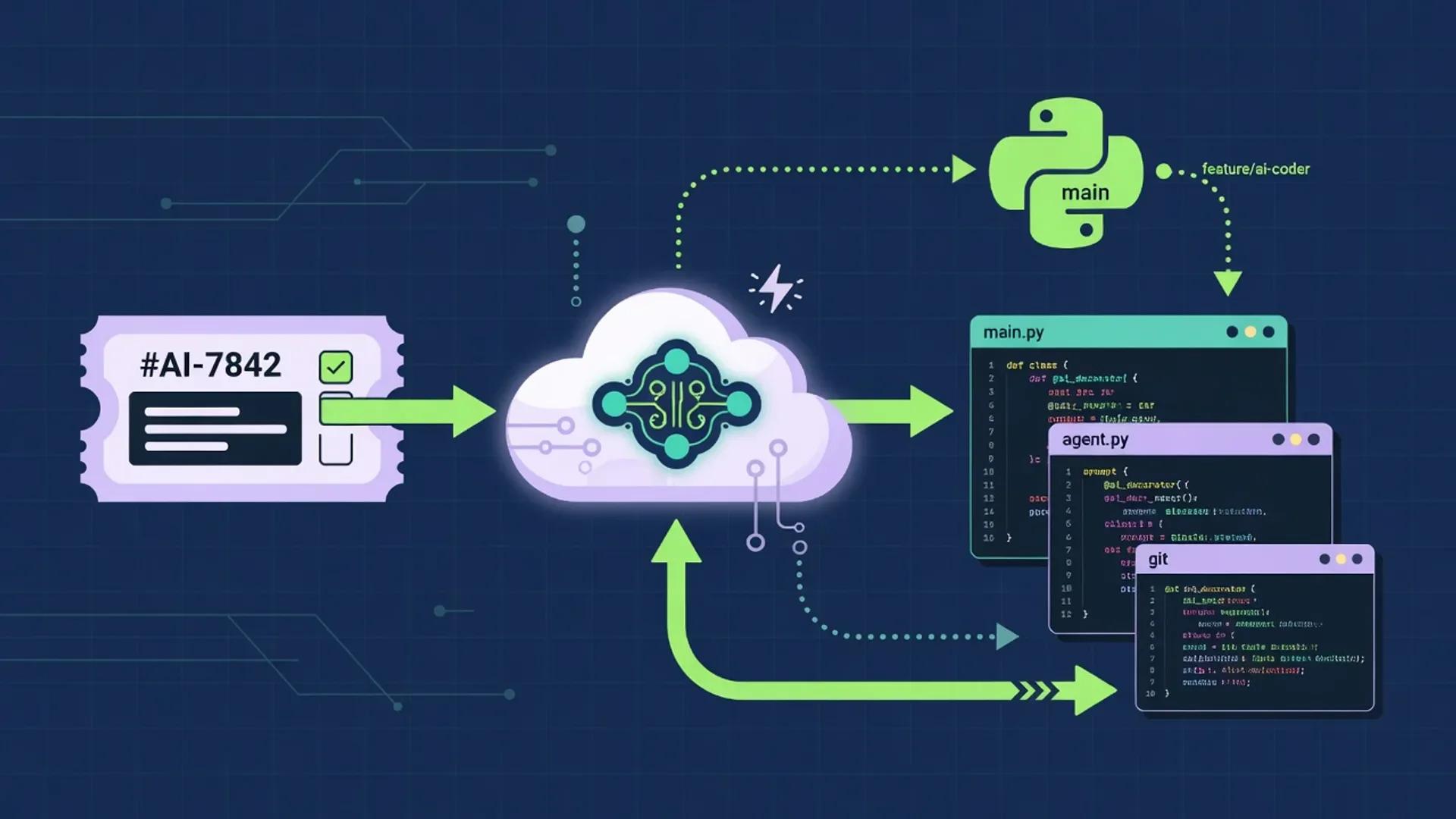
A multi-step AI coding workflow that keeps humans in charge of framing, architecture, security, and merge decisions while agents handle research, boilerplate, test scaffolding, and review. Drawn from primary docs and standards published between July 1 and August 2, 2026.

Best AI Tools for Developers (July 2026)
A research-grounded shortlist of the AI tools software engineers keep reaching for in July 2026: GitHub Copilot, Cursor, ChatGPT, Claude, and Perplexity. Pricing, model lineup, and product capabilities pulled from official vendor documentation in late July 2026.
Related
More reviews

Editorial review
Cursor Review (July 2026): Documentation-Based Analysis of the AI Coding Agent
A documentation-based July 2026 review of Cursor by aiuncovers: pricing, models, Privacy Mode, pros and cons, vs GitHub Copilot, and who should buy it.
Score 86/100
Zapier AI Review (July 2026): Connectors, Pricing, Agents, and Verdict
Hands-off, source-backed Zapier AI review for July 2026. Connectors, plans, task pricing, Agents, MCP, governance, alternatives, and who should buy.

Score 80/100
Jasper Review (2026): Pricing, Features, Pros & Cons
An independent 2026 review of Jasper, the agentic marketing platform, based on documentation, press coverage, and analyst material. Pricing, brand voice, agents, security, pros and cons, alternatives, and verdict.
Next step
Explore GitHub Copilot
Open the full product profile, or browse every structured review.