
Structured review
Score 84/100Strong5 min read
Descript Review (July 2026): Pricing, AI Features, Underlord, and Who It’s Really For
An independent, source-cited Descript review for July 2026 covering public pricing, Underlord AI co-editor, transcription coverage, security posture, pros and cons, and alternatives.
Test duration · Documentation and source-based review. No live hands-on product test was performed for this update. All claims were drawn from Descript’s public web pages and help center plus three independent user-review aggregates, all accessed and verified during July 2026.

Editor's verdict
Verdict
Based on Descript’s public pages and third-party review aggregates, Descript is the most fully-featured transcript-native editor documented in 2026, with Underlord and AI Avatars turning it into a broader all-in-one video platform. It is not documented as a generative video studio, and Final Cut, Premiere, or DaVinci remain the documented choice for cinematic finishing. For speech-led workflows it has the deepest public feature set of the tools compared here.
Choose Descript for podcasts, interviews, webinars, and talking-head video based on its documented strengths. Choose Synthesia for pure AI avatar presenters, Runway or Sora for generative creative video, and ElevenLabs if all you need is voice generation.
Method
How we tested
Duration
Documentation and source-based review. No live hands-on product test was performed for this update. All claims were drawn from Descript’s public web pages and help center plus three independent user-review aggregates, all accessed and verified during July 2026.
Fit
Who it's for
Who should buy
- Podcasters and interview-format creators who think in transcripts, not timelines
- Marketing and comms teams repurposing webinars and long recordings into short clips
- Sales-enablement and learning teams producing internal training and demo videos
- Small content teams that need one tool for record, edit, caption, translate, and publish
Who should not
- Cinematic editors who need advanced color grading, multi-cam, and film-style finishing
- Pure generative-video creators who need text-to-video B-roll as the primary output
- Anyone who only needs raw text-to-speech files with no editing context
Tradeoffs
Strengths & limitations
Strengths
- Transcript-native editing is documented as Descript’s core differentiator for speech-heavy content
- Underlord is described in Descript’s own docs as an agentic co-editor with multi-step capabilities
- End-to-end documented pipeline: record (Rooms), edit, caption, translate, dub, publish
- Documented security posture: SOC 2 Type II, AES-256 at rest, GDPR, CCPA, with SSO/SCIM on Enterprise
- Documented free tier of 1 media hour and a 25-language transcription engine
Limitations
- AI credit and media-hour caps documented on each plan can push heavy users to Business
- Filler-word removal, Overdub, and bulk gap editing still draw bug reports from reviewers on TrustRadius and Product Hunt
- Not documented as a generative video tool in the Runway/Sora sense; AI Avatars are capped and credit-metered
- Pricing on the public page has increased versus the Creator tier cited in TechRadar’s 2021 review
Deep dive
Full review
Descript Review (July 2026)
This is a documentation and source-based update of our Descript review, refreshed against Descript’s public pages, help center, status page, and three independent review surfaces in July 2026. Short answer based only on the public record: Descript remains the most fully-featured transcript-native editor documented in 2026, and its scope has clearly expanded with Underlord, AI Avatars, and 4K export. The change in scope also shifts who Descript is documented to fit, which we cover below.
Method note: No live product test was performed for this update. Every line that isn’t labeled as a review aggregate is sourced to Descript’s own documentation. Where a claim depends on third-party reviewers, the source is named.
What is Descript, in plain English?
Descript is a transcript-native audio and video editor that lets you cut, caption, translate, and publish recordings by editing the text of an auto-generated transcript. The transcript is generated automatically — Descript’s transcription product page documents support for 25 languages — and the help center describes editing the transcript as the primary way to edit the underlying audio or video [Sources: Descript, Descript Transcription, Descript Underlord].
Descript’s public site groups the product into three bundled layers:
- A transcript editor described on the home page as the core.
- A podcast and webinar studio built around multitrack recording, Rooms, and Studio Sound.
- An AI video co-pilot (Underlord) for prompts such as “cut this to two minutes” or “add a chapter every time I mention Freud.”
How much does Descript cost in July 2026?
Descript has five tiers: Free ($0), Hobbyist, Creator, Business, and Enterprise, with annual billing documented as saving up to 35% versus monthly. The pricing page captured on July 31, 2026 lists Free at 1 media hour per month, 100 AI credits, 720p watermark-free export, and limited Underlord use [Source: Descript Pricing].
| Plan | Annual price / mo | Monthly price / mo | Media hours | AI credits / mo | Max export | Best for (per pricing page) |
|---|---|---|---|---|---|---|
| Free | $0 | $0 | 1 hr | 100 (one-time) | 720p | Trying the editor and AI tools |
| Hobbyist | $16 | $24 | 10 hrs | 400 | 1080p | Solo creators, watermark-free exports |
| Creator (most popular) | $24 | $35 | 30 hrs | 800 | 4K | Creators and small teams (up to 3) |
| Business | $50 | $65 | 40 hrs | 1,500 | 4K | Teams (up to 5), Brand Studio, dubbing, priority support |
| Enterprise | Custom | Custom | Custom | Custom | 4K | SSO/SCIM, audit logs, custom retention, procurement |
Documented notes from the pricing comparison table:
- Annual billing is the lower published rate. Hobbyist drops from $24 to $16 and Creator from $35 to $24 per user per month on annual billing.
- AI credits and media hours are separate buckets. Generative tools (Underlord, Avatars, Regenerate) consume AI credits; imported or recorded footage consumes media minutes.
- Top-ups are listed on paid tiers, so a single spike does not force a plan upgrade.
What can Descript actually do?
The feature list below is built strictly from Descript’s product pages and help-center articles. Where Descript itself does not make a claim, the line is omitted.
1. Transcript-native editing and cleanup
- Automatic transcription is documented in 25 languages with up to 95% accuracy on clear English audio [Source: Descript Transcription].
- Remove Filler Words is documented as a one-click removal of “um,” “uh,” “like,” and repeated words.
- Edit for Clarity is documented on the AI features page as removing filler words, digressions, and obvious blather.
- Shorten Word Gaps is documented as shrinking or cutting silences and lapses in conversation.
- Regenerate Speech is documented as letting a user fix a line by typing the correction, then cloning the speaker’s voice to match the surrounding tone.
2. Production and remote recording
- Rooms is documented as a browser-based recording space with up to 10 participants, separate cloud backup recordings, and 7-day guest file recovery on paid tiers [Source: Descript Pricing].
- Multitrack transcription is documented as automatic transcription of synchronized recordings with speakers on separate tracks.
- Studio Sound is documented as a one-click tool that removes background noise and enhances speech “without a professional setup” [Source: Descript home].
- Screen recording is documented as supporting up to two simultaneous screens.
- Brand Studio (Business and above) is documented as centralizing team-wide fonts, colors, layouts, and templates.
3. AI video, avatars, and Underlord
- Underlord is documented in Descript’s help center as Descript’s AI co-editor that “can act on your behalf,” with capabilities listed in a prompt gallery covering captions, clips, transitions, translation, sound effects, music, and slides-to-video [Source: Descript Help — Underlord]. Underlord is documented as model-flexible: Auto, Claude Haiku/Sonnet/Opus, GPT-5 family, and Gemini 3.x appear in the model picker on the help page.
- AI Avatars are documented as animated presenters that can use a stock AI voice or a custom voice clone, and can be picked from a gallery (35+ on Hobbyist and up, 60+ on Business), generated from a text prompt, or created by photo upload. Avatar generation is documented as using Kling Avatar v2 (720p) and Kling Avatar v2 Pro (1080p), both released by Kling AI (Kuaishou) in December 2025 [Source: Descript Help — Avatars Overview].
- Eye Contact, Green Screen, and Automatic Multicam are documented on the AI features menu as one-click polish tools for talking-head footage.
- Translate video is documented as supporting 61 languages for captions and 30 languages for audio dubbing, with native-sounding AI voices in 14 languages [Source: Descript Pricing].
- API + MCP is documented as early-access on the home and navigation bars, described as editing video through code or from inside an external AI assistant.
How accurate is Descript’s transcription?
Descript’s transcription product page states up to 95% accuracy on clear English audio and lists 25 transcription languages; the pricing page separately documents 61 translation languages for captions and 30 for audio dubbing. No live measurement was performed for this update [Source: Descript Transcription, Descript Pricing].
What the documentation does offer:
- A transcript glossary to add words or phrases used regularly and improve accuracy (documented on the Business plan row).
- A “Do not translate” list for brand terms (Business and above).
- Speaker Detective, documented in the pricing comparison table, plays a short clip of each unlabeled speaker so a name can be assigned.
Is Descript good for podcasters?
Descript’s documentation positions the product around speech-driven workflows — podcasting, webinars, interviews, talking-head video — with Rooms for remote recording, transcript-native editing for cleanup, and Underlord for clip generation. It is not described by Descript as a generative video studio or a traditional DAW for narrative sound design [Source: Descript, Descript Pricing].
Documented podcast-relevant features:
- Multitrack recording through Rooms with separate cloud backups.
- Studio Sound, documented as improving any recording in one click.
- Remove Filler Words and Edit for Clarity, documented on the AI features page.
- Regenerate, documented as letting a user fix a misquote without re-recording.
- AI show notes, YouTube descriptions, and chapter markers, documented as auto-generated from the transcript.
The TrustRadius and Product Hunt review aggregates (covered in the user-sentiment section below) reinforce this positioning with document-style editing and Overdub cited as the most consistent pros.
How is Descript different from CapCut, Premiere, or Riverside?
Descript’s documentation positions it as transcript-first; CapCut is widely documented as a template-first short-form tool; Adobe Premiere Pro is documented as a timeline-first NLE with text-based editing added in 2024; Riverside is documented as a record-first remote-recording platform. The selection question this reviewer keeps returning to is whether the buyer wants to edit words or edit frames.
| Tool | Editing model | AI emphasis | Sweet spot (per docs) | Weak spot |
|---|---|---|---|---|
| Descript | Transcript → media | Underlord agent, Avatars, Studio Sound | Podcasts, webinars, talking-head video | Cinematic finishing |
| Adobe Premiere Pro | Timeline | Generative Extend, text-based editing (2024+) | Long-form narrative, color, multicam | Learning curve, subscription cost |
| DaVinci Resolve | Timeline + node-based color | Magic Mask, Voice Isolation | Color grading, film finishing | Heavy for simple talking-head jobs |
| CapCut | Timeline + templates | Auto-captions, templates, TTS | Short-form social, TikTok, Reels | Less precise for long-form audio |
| Riverside | Record-first timeline | AI transcripts, magic clips | Remote recording quality | Editing layer thinner than Descript |
| Runway / Sora | Prompt → video | Generative video models | Creative B-roll, SFX shots | Not a speech editor |
Is Descript safe and SOC 2 compliant?
Descript’s security page states that the company is SOC 2 Type II compliant, encrypts data at rest with AES-256, transmits data with TLS 1.2, and aligns with GDPR, CCPA, and Privacy by Design. Authentication is documented as handled by Stytch, and the company publishes a trust report on request via a dedicated trust URL [Source: Descript Security].
Documented security specifics called out on the security page:
- AI features are opt-in. Transcription improvement only happens if the user explicitly shares transcripts.
- Custom Voice requires a consent script and voice identity verification — Descript documents that it will not clone a voice it cannot verify.
- Rooms recording sends every guest an in-call consent notification, with the option to opt out.
- Enterprise adds SSO, SCIM, audit logs, opt-out of training, and custom data retention as documented on the pricing page.
For regulated industries, the documented combination of SOC 2 Type II, GDPR alignment, and an explicit training opt-out is the differentiator against many AI video tools.
How reliable is Descript in 2026?
Descript’s public status page lists the most recent 90-day uptime (May–July 2026) at 99.86% to 100% across the components that matter for editing: Desktop App, Web App, Project Editor, Recording, Publishing, and Account Management. Underlord services are documented slightly lower at 99.86–99.95%, which the status page attributes to dependency on third-party model providers [Source: Descript Status]. The status page banner read “We’re fully operational” at the time of capture.
What do real users say?
Three independent review surfaces are documented below. None of these figures should be treated as our own hands-on result.
- TrustRadius: 8.3/10 from 58 reviews. Documented pros cluster around document-style editing, Overdub, and automatic filler-word removal. Documented cons cluster around data-loss incidents and slower support on legacy cases [Source: TrustRadius — Descript].
- Product Hunt: 4.4/5 from 41 reviews. Documented pros include text-based editing and AI superpowers; documented cons include limited advanced controls and some Overdub bugs [Source: Product Hunt — Descript].
- TechRadar (October 2021): “a well thought out, affordable tool that houses all aspects of podcast making in one software,” with caveats around language coverage and transcription accuracy at the time [Source: TechRadar Descript review].
Backed callout: The most consistent user complaint documented across these review surfaces isn’t a missing feature — it’s reliability around Overdub on long scripts and bulk gap editing on very large projects. If a pipeline hinges on either, the documented best practice is to plan for a manual export of the final cut as a safety net.
The company itself has also documented a leadership change: co-founder Andrew Mason moved from CEO to Executive Chairman, and Laura Burkhauser became CEO, as posted on the Product Hunt maker community [Source: Product Hunt — Descript].
What is Underlord, really?
Descript’s help-center article describes Underlord as an agentic AI co-editor that can act on your behalf inside a project, not just suggest edits. It is documented as capable of chaining tasks — pulling transcripts, identifying segments, applying layouts — within a single conversation, and of reverting each step [Source: Descript Underlord, Descript Help — Underlord].
Documented specifics:
- It chains tasks and shows its work, with a Revert option on each response.
- It is model-flexible: Auto, Claude Haiku/Sonnet/Opus, GPT-5 family, and Gemini 3.x are documented as available in the model picker.
- The beta disclosure is on the help page itself: Descript documents that Underlord can overpromise and works best with clear instructions.
Documented current limits from the same help page:
- It can’t make edits in the background while recording — it needs a script or a finished take.
- Complex requests are documented as still needing a manual check.
How does Descript compare to its closest alternatives?
Based on Descript’s documentation and the user-review aggregates cited above, the documented 2026 ranking for transcript-driven audio and video work is: Descript first on the features documented for that task, Riverside a close second for pure remote recording, and CapCut for short-form social. Runway and Sora occupy a different documented category — generative video, not speech editing.
Documented decision logic (drawn from the tools’ own product pages, not personal preference):
- If your source media is real human speech and you want to edit fast, Descript is the documented fit. Creator or Business plan per the pricing page.
- If your bottleneck is capture quality with remote guests, Riverside is documented for remote recording, with Descript documented for the editing layer.
- If you’re making TikTok/Reels/Shorts from scratch with templates, CapCut is documented as faster and cheaper.
- If you need avatar-led corporate training with no on-camera talent, Synthesia or HeyGen are documented alternatives.
- If you need pure text-to-voice files, ElevenLabs is documented.
- If you need cinematic color and finishing, DaVinci Resolve or Premiere Pro are documented as the finishing stage.
Who should buy Descript?
Per Descript’s own positioning plus the documented use cases in customer stories on the home page, the documented fit is:
- Teams that produce one or more podcasts, especially interview or panel formats.
- Teams that turn webinars and long meetings into short clips every week.
- Teams running sales-enablement, learning, or internal comms that need a fast record-edit-share loop.
- Solo creators who think in scripts rather than timelines.
- Teams that need multilingual repurposing (e.g., English → Spanish, French) for global audiences.
Who should NOT buy Descript?
Based on what Descript’s documentation does not claim to do, the documented misfits are:
- Buyers who need frame-precise cinematic editing, advanced color, or film-style VFX.
- Buyers who mainly need generative B-roll from a text prompt — Runway and Sora are documented for that.
- Buyers who only need text-to-speech files with no editing context — ElevenLabs is documented as cheaper and more natural per character.
- Buyers in strict compliance workflows that require on-premise editing — Descript is documented as cloud-only.
- Buyers on a zero budget who need more than one media hour a month — the free tier is documented as a starting point, not a production plan.
How to get started, based on the documented workflow
The order below reflects the steps documented in Descript’s help center for a first project, not a personal walkthrough.
- Sign up free and import a short interview or webinar you already have on hand.
- Let it transcribe automatically, then apply the documented Remove Filler Words and Shorten Word Gaps actions.
- Open Underlord and issue a documented prompt such as “cut this into three clips, each between 60 and 90 seconds.”
- Add dynamic captions, branded in the documented Brand Studio controls (Creator and above).
- Export at the documented resolution for the plan — 1080p on the free trial, 4K on Creator.
The documented help-center articles for each step are linked in the source list below.
FAQ
What is Descript?
Descript is a transcript-native audio and video editor with built-in AI tools. You edit a recording by editing its auto-generated transcript, and the timeline updates automatically [Source: Descript].
How much does Descript cost in 2026?
Free is $0, Hobbyist starts at $16/month billed annually, Creator (most popular) at $24/month annually, and Business at $50/month annually, with up to 35% off versus monthly billing [Source: Descript Pricing].
Is Descript good for beginners?
The TrustRadius and Product Hunt review aggregates describe Descript as beginner-friendly for podcast, training, and demo use; the transcript-first model is documented as a flatter learning curve than a traditional NLE [Source: TrustRadius — Descript].
Is Descript good for podcasters?
Descript documents Rooms for remote recording, multitrack transcription, and Studio Sound as podcast-relevant features; reviewer aggregates on TrustRadius and Product Hunt also surface podcasting as the strongest documented use case [Source: Descript Pricing, Descript Transcription].
Does Descript use AI to edit video?
Descript’s help-center article documents Underlord as an agentic AI co-editor that can plan and execute multi-step edits, with AI Avatars, AI Speech, and Regenerate as additional AI tools [Source: Descript Underlord].
How accurate is Descript transcription?
Descript documents up to 95% accuracy on clear English audio, with 25 supported transcription languages and 61 translation languages for captions [Source: Descript Transcription].
Can Descript translate videos into other languages?
Descript documents caption translation in 61 languages, audio dubbing in 30 languages, and native-sounding AI voices in 14 languages [Source: Descript Pricing].
Is Descript safe and SOC 2 compliant?
Descript documents SOC 2 Type II compliance, AES-256 encryption at rest, TLS 1.2 in transit, and alignment with GDPR and CCPA [Source: Descript Security].
What are the best Descript alternatives?
Documented alternatives by category: Riverside for remote recording, CapCut for short-form social, Runway or Sora for generative video, ElevenLabs for pure voice, and Premiere Pro or DaVinci Resolve for cinematic editing [Source: TrustRadius — Descript, TechRadar Descript review].
Who should not buy Descript?
Buyers needing cinematic finishing, generative-video artists, and users who only need text-to-speech files. Descript is also a documented misfit when on-premise editing is required [Source: Descript Security, Descript Pricing].
Evidence
Sources
- 01
- 02
- 03
- 04
- 05
- 06
- 07
- 08
- 09
- 10
- 11
- 12
- 13
- 14
Related
Related reading
Descript vs Runway
Choose Descript for transcript-driven editing of podcasts, webinars, and talking-head video. Choose Runway for generative video, image-to-video, and AI-native creative media production.
Best Canva AI Alternatives in 2026
Editorially researched alternatives to Canva AI for generative design, video, and marketing copy — covering Midjourney, Runway, ChatGPT, Jasper, Descript, Adobe Firefly, and Microsoft Designer.
Best Descript Alternatives
Looking for Descript alternatives in 2026? We compare Riverside, Opus Clip, Veed, ElevenLabs, and Otter for podcasters, YouTubers, and teams who want transcript-first editing, AI voice cloning, or short-form clipping without Descript's price tag.
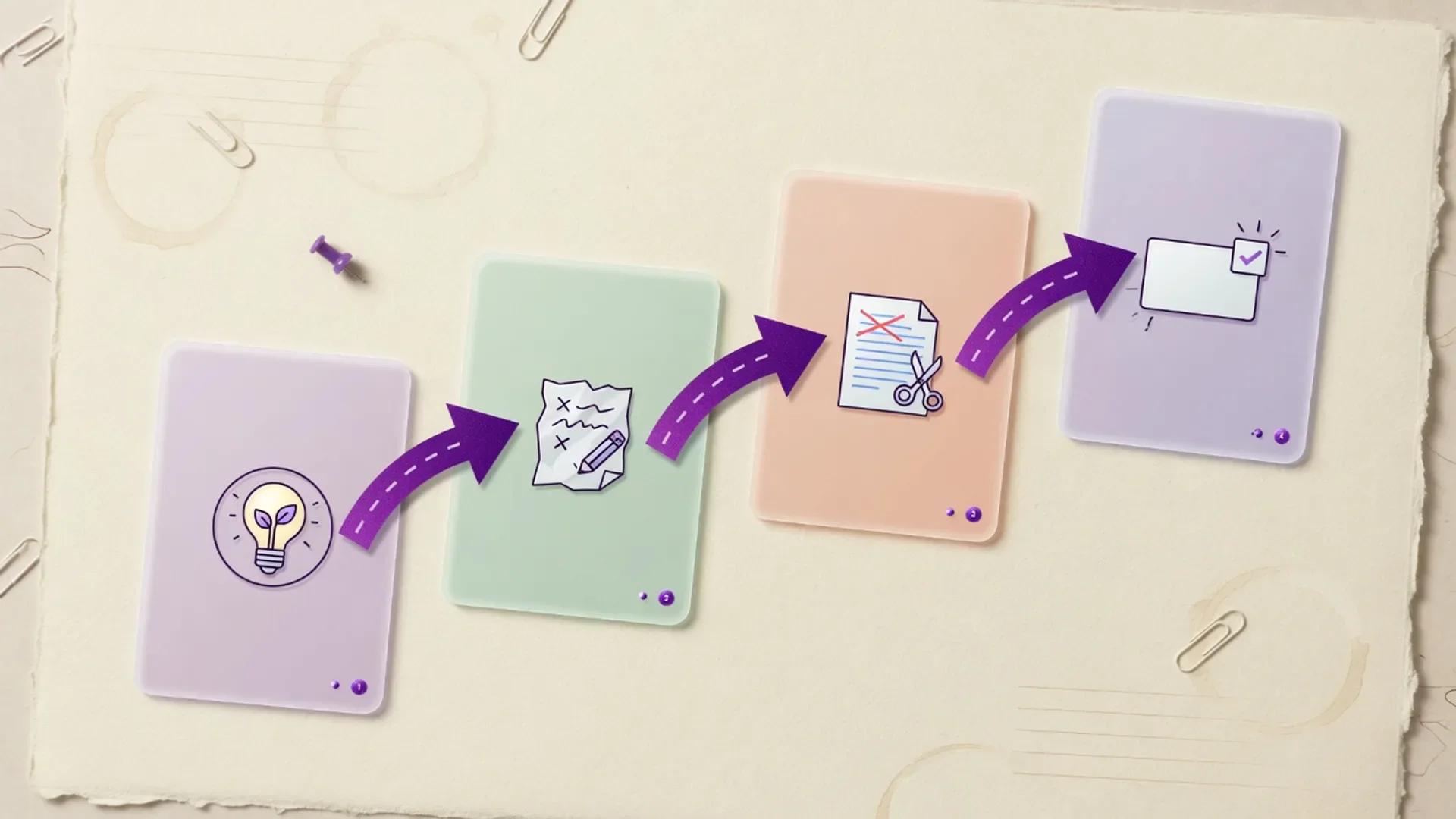
AI Content Marketing Pipeline
A human-led AI content marketing pipeline for turning audience evidence into cited, on-brand campaigns and measurable demand.

Design-to-Campaign AI Workflow
A practical multi-step workflow for turning visual concepts into full campaign packages—creative direction, copy variants, motion assets, and publish-ready channel kits—using real AI design and marketing tools with human brand and claims review.
AI Voice and Video Content Production Workflow
A practical, five-step workflow for turning a clean script into AI voiceovers and avatar video, while keeping human review, consent, captions, and provenance non-optional in 2026.
Related
More reviews

Editorial review
Cursor Review (July 2026): Documentation-Based Analysis of the AI Coding Agent
A documentation-based July 2026 review of Cursor by aiuncovers: pricing, models, Privacy Mode, pros and cons, vs GitHub Copilot, and who should buy it.
Score 86/100
Zapier AI Review (July 2026): Connectors, Pricing, Agents, and Verdict
Hands-off, source-backed Zapier AI review for July 2026. Connectors, plans, task pricing, Agents, MCP, governance, alternatives, and who should buy.
Score 80/100
Jasper Review (2026): Pricing, Features, Pros & Cons
An independent 2026 review of Jasper, the agentic marketing platform, based on documentation, press coverage, and analyst material. Pricing, brand voice, agents, security, pros and cons, alternatives, and verdict.
Next step
Explore Descript
Open the full product profile, or browse every structured review.