
Workflow playbook
Content marketers5 steps7 toolsAI Voice and Video Content Production Workflow
A practical, five-step workflow for turning a clean script into AI voiceovers and avatar video, while keeping human review, consent, captions, and provenance non-optional in 2026.
Best for · Content marketers, learning and development teams, and creators producing explainers, training, and social video with AI speech and avatars.
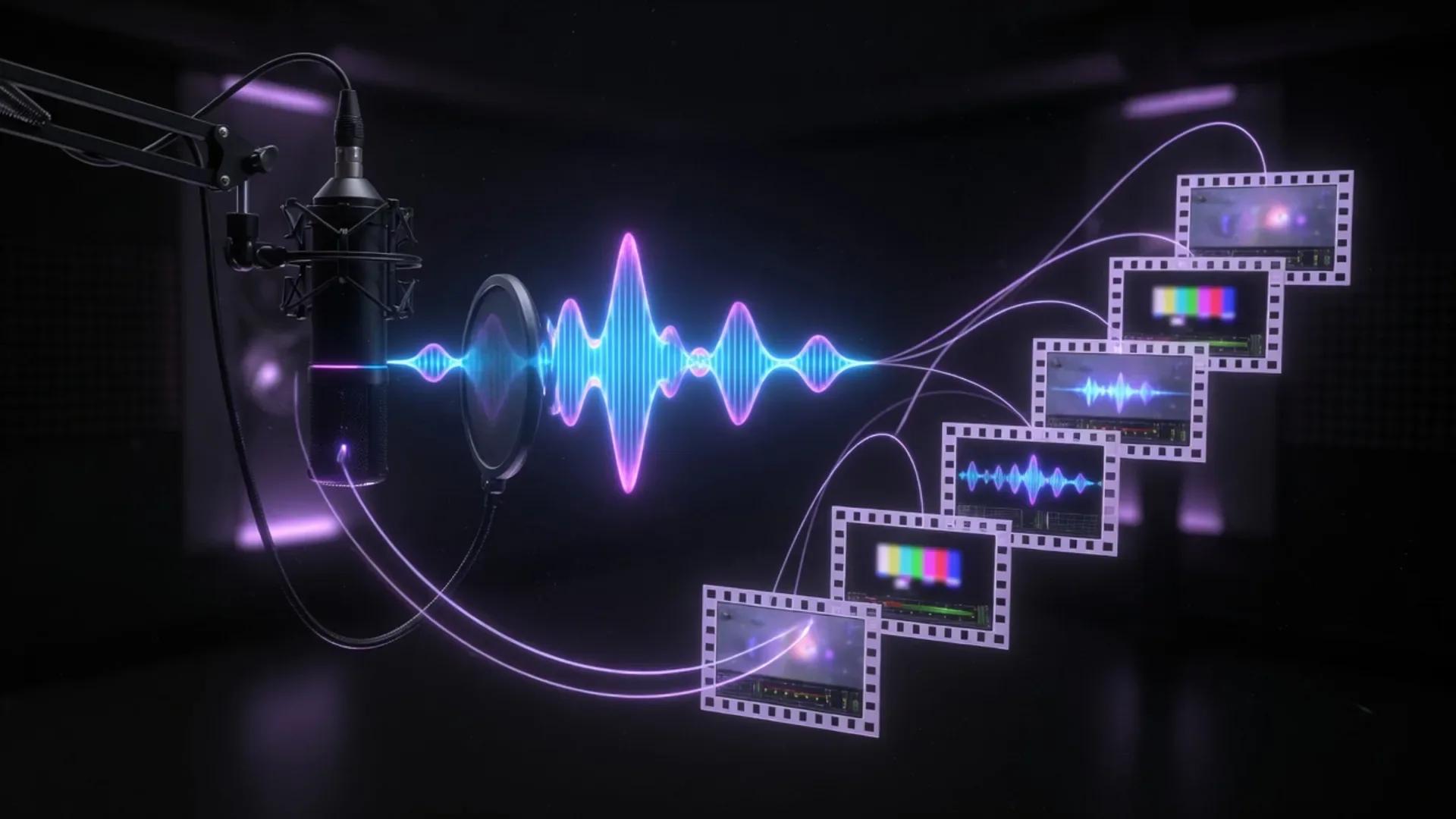
Playbook
Steps
Step 1
Lock the script, claims, and consent before any generation
Write the master script in a careful drafting tool, mark every product claim, pricing mention, and testimonial with a source or needs-approval flag, and capture voice cloning consent if any cloned voice appears. Do not move to generation until a human editor signs off.
Step 2
Generate the voiceover or avatar presentation
For pure narration, run the approved script through a specialist voice tool. For presenter-style video, generate an avatar video from the same script. Keep a human pass for pronunciation, pacing, brand terms, and any number or proper noun.
Step 5
QA claims, accessibility, consent, and publish
Run a final checklist against claims sources, voice cloning consent records, captions against WCAG 2.2 timing, and provenance on the exported file. Publish with UTM or LMS metadata, archive the approved script, and store the consent log with the project.


Notes
Details
Why this workflow exists
I keep watching the same mistake. A team buys an AI voice tool, generates a slick explainer video, and ships it before anyone checks the script for facts, accessibility, or consent. By the time marketing notices, the video has comments.
This workflow fixes that order. I move scripts, claims, consent, captions, and provenance signals ahead of any audio or avatar generation, so the human review pass is short and the output is publishable. The whole loop is built for what changed in 2026: the EU AI Act Article 50 transparency rules went live on August 2, 2026, and Synthesia became one of the first AI video companies to sign the Code of Practice that supports those rules.
Related reading: Runway vs Synthesia, best AI video tools, best AI content tools.
What changed in 2026: the rules you build the workflow around
The EU AI Act Article 50 transparency obligations for AI-generated content took effect on 2 August 2026. That is the date when providers of generative AI systems must mark outputs in a machine-readable format and detectable as artificially generated or manipulated, and deployers must disclose deepfakes and AI-generated text on matters of public interest.
Three things follow for any voice and video team publishing in the EU, in California, or to multinational audiences:
- The European Commission and AI Board assessed the Code of Practice on Transparency of AI-generated Content as an adequate voluntary tool to demonstrate Article 50 compliance. By the end of July 2026, about 190 organisations had signed it, including Section 1 signatories such as Anthropic, Google, Meta, Microsoft, Mistral, OpenAI, and Synthesia.
- California’s SB 942 mirrors Article 50 closely, so the same provenance and labelling work carries over to the largest US market.
- The Coalition for Content Provenance and Authenticity (C2PA) is the underlying standard for those machine-readable marks, and Content Credentials are already in use by Adobe, Google, OpenAI, and TikTok. The C2PA’s Content Authenticity Initiative hosted a July 23, 2026 community session on AI-free spaces and how Content Credentials support them.
The practical upshot is that I treat provenance and disclosure as a deliverable, not a footnote. The same workflow now ships captions, an AI label, and Content Credentials alongside the MP4.
Operating principles
- Script truth before pixels. Approve claims, sources, and consent before generating a single frame.
- Specialist tools for specialist jobs. Use voice tools for voice, avatar tools for presenter video, and dubbing tools for translation. Do not ask a single model to do all three.
- Captions are a feature, not a finish. WCAG 2.2 timing rules apply to AI video just like to human-recorded video.
- Provenance travels with the file. Carry C2PA Content Credentials and an Article 50-style visible AI label through every export.
- Archive the approved script. The script is the source of truth for the next revision, regulator, or model retraining review.
Format and tool comparison table
This table compares the categories I reach for in 2026. It is descriptive of capabilities vendors publicly documented between July 1 and August 2, 2026, not a ranked leaderboard.
| Category | What it does | Example tools (in-window docs) | Key 2026 capability |
|---|---|---|---|
| Voice and TTS | Generate lifelike speech from text | ElevenLabs (32 languages on Multilingual v2, 70+ on Eleven v3 alpha, 128–192 kbps output) | Eleven v3 expressive audio tags for emotion, laughter, whispers |
| Avatar video | Generate a presenter from a script and a likeness | Synthesia (160+ languages, 240+ stock avatars); HeyGen (175+ languages, Avatar V, 15-second voice clone) | Interactive Avatars that respond to user audio in under a second |
| Generative film | Text or image to cinematic video | Runway Gen-4.5 and Aleph 2.0 | Frame-locked starting frame image-first pipelines |
| Translation and dubbing | Localize finished video with lip sync | HeyGen, Synthesia Dubbing 2.0, ElevenLabs Dubbing | Synthesia Dubbing 2.0 holds lip sync across fast cuts and multi-person scenes |
| Editing and packaging | Assemble, caption, and export | Descript (22+ languages), Runway | Text-native editing for script-based cuts |
| Provenance and disclosure | Mark, label, and verify AI content | C2PA Content Credentials; EU AI Act Article 50 Code; California SB 942 | Synthesia ships Content Credentials by default on eligible videos |
The five-step workflow
Use these steps in order. Skip a step and you usually pay for it later.
- Lock the script, claims, and consent. Open a careful drafting tool. Pull every product claim, pricing number, and testimonial into a claims table that lists a source URL or a needs-approval flag. If the script uses a cloned voice, store a signed consent record next to the project file. Do not generate audio until the script reads clean.
- Generate the voiceover or avatar presentation. For pure narration, run the approved script through a voice tool such as ElevenLabs Multilingual v2 or Eleven v3. For a presenter, generate an avatar video in Synthesia or HeyGen. Read the output aloud. Fix pronunciation, pacing, and brand terms before you record a single second of final cut.
- Localize, caption, and brand the output. Use a video translator such as HeyGen, Synthesia Dubbing 2.0, or ElevenLabs Dubbing to produce localized versions. Add accurate captions in every language you ship, then apply Brand Kits so colors, fonts, and logos match across languages and channels.
- Edit, package, and embed provenance signals. Assemble the final cut in a transcript-native editor (Descript) or a generative editor (Runway). Make sure the file carries C2PA Content Credentials and turn on the visible AI label your vendor exposes, so your team meets Article 50 and SB 92 disclosure obligations.
- QA claims, accessibility, consent, and publish. Run a checklist against claims sources, voice cloning consent records, captions timing against WCAG 2.2 success criterion 1.2.2, and provenance on the exported file. Publish with UTM or LMS metadata, archive the approved script, and store the consent log with the project.
Example — claims checklist template
Use this table as a starting point. Add rows for every claim in the script.
| Script line | Claim type | Source URL | Status |
|---|---|---|---|
| “Used by 50% of the Fortune 100” | Market presence | /press/2026-q2/ | needs-approval |
| “Built on SOC 2 Type II” | Compliance | /trust/ | approved |
| “Localize in 160+ languages” | Product feature | /features/languages/ | approved |
Example — voice cloning consent record
Store one record per project per voice. Required fields below.
Voice name: [talent name or pseudonymous ID]
Recording date:[YYYY-MM-DD]
Use scope: [e.g. marketing explainers, internal training, paid media]
Term: [e.g. 24 months from publish date]
Compensation: [amount + per-use or per-period model]
Talent signoff:[link to signed release / consent form]
Revocation: [email or URL where talent can revoke]
Project IDs: [list of project IDs that use this voice]
Example — QA checklist before publish
Tick every box before the video goes live.
- Every claim in the claims table is approved and linked.
- Voice cloning consent record is attached to the project.
- Captions pass WCAG 2.2 SC 1.2.2 (captions for prerecorded audio) timing.
- Exported file carries C2PA Content Credentials.
- Visible AI label is on or attached to the player.
- Glossary terms (product names, brand terms) match across every language.
- UTM or LMS metadata is set for the success metric.
- Approved script is archived in the project folder.
How this maps to the stack
You do not need every tool in the table. A lean stack is one voice tool, one avatar tool, one editor, and a provenance-aware export. A localization-heavy stack adds a video translator with glossary support. An enterprise stack adds SSO, EU data residency, and ISO 42001 governance.
The Synthesia Dubbing 2.0 launch on July 15, 2026 is a useful template for how a specialist dubbing tool behaves: first-pass output is good enough to publish for most videos, glossary support keeps terminology consistent, and enterprise plans unlock segment-level editing without burning credits on every regeneration. A specialist dubbing tool removes the old forced choice between fast but rough or slow but polished.
The Synthesia “Interactive Avatar Models” research post on July 2, 2026 explains why I separate voice generation from avatar generation: an avatar model has its own latency, realism, and listening capability budget, and the right tool depends on whether you need a one-way video or a real conversation.
What to skip
I have watched teams lose days on these moves:
- Do not ask a chat assistant to write the script and then claim it as primary research. It is a drafter, not a source.
- Do not clone a celebrity voice without written consent and a usage term. A 15-second sample is enough to produce something recognizable, not enough to publish legally.
- Do not trust captions generated for one language to align to a dubbed audio track in another language. Re-time the captions per language.
- Do not export an MP4 from a generative tool and assume it carries provenance. C2PA Content Credentials are only present if the producer attached them and the export path preserved them.
“AI is going to put more videos in front of more people than ever before. For that to be good for the viewers, they need to know what they’re looking at.” — Alexandru Voica, Head of Corporate Affairs and Policy, Synthesia
FAQ
How do I label AI-generated video under EU AI Act Article 50? Turn on the visible AI label your video vendor exposes (Synthesia exposes an EU icon-style label per scene), keep C2PA Content Credentials on the exported file, and disclose deepfakes or AI-generated public-interest text on the page where the video lives. Article 50 obligations take effect on 2 August 2026.
What is C2PA Content Credentials? Content Credentials are an open technical standard from the Coalition for Content Provenance and Authenticity (C2PA) that cryptographically signs the origin and edit history of a media file. They are already used by Adobe, Google, OpenAI, and TikTok.
How do I get consent to clone a voice for AI voiceover? Use a written release that names the talent, scope of use, term, compensation, and a revocation path. ElevenLabs requires permission to clone and uses an AI Speech Classifier to detect cloned audio.
What is the best AI video translator for 175-plus languages? Several reach that number today. HeyGen markets 175+ languages with voice cloning and lip sync. ElevenLabs Dubbing and Synthesia Dubbing 2.0 cover 32 and 130+ languages respectively and lead on voice realism and enterprise controls.
How do I caption AI video to meet WCAG accessibility standards? Treat AI video like any other video. Provide accurate captions for the audio track in every language you ship, sync them within the timing tolerances set by WCAG 2.2 success criterion 1.2.2, and confirm speaker identification for multi-speaker content.
What provenance should an AI voice and video workflow include? At minimum, C2PA Content Credentials on the exported file plus a visible AI label on the player. If you publish in California or the EU, this also covers SB 942 and Article 50 deployer obligations.
How do I localize AI avatar video without breaking lip sync? Use a video translator that tracks micro-movements of the mouth and respects original timing and length. Synthesia Dubbing 2.0 specifically markets this for fast cuts and multi-person scenes; re-edit captions per language regardless.
How do I QA an AI video before publishing it? Run the QA checklist in this workflow against claims, consent, captions, provenance, glossary, and metadata. Archive the approved script and the consent log with the project file.
Which AI tools support AI Act Article 50 and SB 942 disclosure? Tools that ship C2PA Content Credentials by default, expose a visible AI label toggle, and let you attach signed downloads so credentials travel with the file. Synthesia documents this combination for its own platform.
Do I need a separate captioning tool? Not necessarily. Both Descript and Synthesia can generate captions, and Descript is strong when the source is a real recording rather than an AI avatar. For pure AI avatar output, generate captions in the same tool to keep timing locked to the model output.
Bottom line
AI makes voice and video cheap to make and expensive to fix. The five-step workflow puts script truth, consent, captions, provenance, and disclosure ahead of generation, so the only thing left to judge at publish is whether the script is true. That is the whole job.
Stack
Tools used in this workflow

ElevenLabs
Editorially ResearchedAI voice generation, voice cloning, dubbing, music, and conversational agents for creators, brands, and enterprise teams.
Stands out · Specialist AI voice platform for generation, cloning, dubbing, music, and agents, rather than a general assistant with optional speech features.


Synthesia
Editorially ResearchedAI avatar video platform for training, explainers, and multilingual business video without a studio.
Stands out · Business-focused AI avatar video for training and explainers, distinct from open-ended generative video tools.

Descript
Editorially ResearchedAI video and podcast editor that cuts by editing the transcript, with 2026-era Underlord agent, Studio Sound, and 4K remote Rooms.
Stands out · A creator-first editor where the transcript is the primary interface, now expanded into an agentic AI workspace with Underlord, 4K remote Rooms, and regenerative video inpainting.

Runway
Editorially ResearchedAI creative suite for generative video, image, audio, and now world-model infrastructure for marketing, film, and enterprise production.
Stands out · An AI creative platform that pairs frontier video models (Gen-4.5, Aleph 2.0) with a true production workspace, the Runway Agent, and a developer platform with a Model Router.

Canva AI
Editorially ResearchedAI design generation and Magic Studio tools inside Canva's accessible design platform.
Stands out · AI-assisted design inside a mainstream template-driven creative platform with brand systems, Magic Studio tools, native AI-assistant connectors and enterprise-grade indemnification.

Notion AI
Editorially ResearchedAI writing, knowledge agents, and meeting notes built into the Notion workspace teams already use.
Stands out · Notion AI is the only AI built directly into the workspace where teams already store docs, wikis, projects, and meeting notes — so it works on your real context, not in a separate chat window.


Claude
Editorially ResearchedAnthropic's AI assistant focused on careful writing, long-context work, and the strongest agentic coding stack as of July 2026.
Stands out · A general-purpose assistant and agent platform optimized for careful writing, 1M-token long-context work, and the strongest agentic coding surface in 2026 — anchored by Opus 5, Sonnet 5, Fable 5, Claude Code, and Claude Cowork.
Related
Related reading

Notion AI vs Claude
Choose Notion AI when your team's knowledge, projects, and meetings already live in Notion and you want an agent that can take action inside that workspace. Choose Claude when you want the best standalone writing, reasoning, and long-document analysis regardless of which wiki you use.
Runway vs Synthesia
Choose Runway for generative creative video, VFX, and cinematic production. Choose Synthesia for scalable avatar training, sales enablement, and multilingual business video.
Midjourney vs Canva AI
Choose Midjourney when distinctive generative imagery is the bottleneck. Choose Canva AI when finishing, formatting, and shipping campaigns at volume is the bottleneck. Many teams use both.

Claude vs Perplexity
Pick Claude when the work product is a polished doc, a multi-file analysis, or a long-running coding agent. Pick Perplexity when the work starts with a question and you need to see the receipts.

content tools
Browse the content category
video tools
Browse the video category
Keep building
Explore more playbooks and tools
Browse more workflows, or shortlists built around the same stack.