
Comparison
Midjourney vs Canva AI
Midjourney and Canva AI both produce AI-driven visuals in 2026, but they sit in different categories. Midjourney V8.2 (July 24, 2026) is a generative image specialist. Canva AI is a design suite with 220M+ monthly users and 30B+ designs created — generative features bolted onto a mainstream editor.
Midjourney vs Canva AI
Executive verdict
Midjourney and Canva AI solve adjacent jobs. Midjourney wins on aesthetic originality and prompt-driven exploration. Canva AI wins on production volume, brand systems, and finishing. In July 2026, Midjourney shipped V8.2 and made its first acquisition (Co-Star), while Canva prepared to roll out Canva AI 2.0, a conversational creative agent layered on top of Magic Studio. The most useful framing: Midjourney generates. Canva AI ships.
Best for · Choose Midjourney when distinctive generative imagery is the bottleneck. Choose Canva AI when finishing, formatting, and shipping campaigns at volume is the bottleneck. Many teams use both.
Head to head
Dimensions
Generative image aesthetics
V8.2 (July 24, 2026) prioritizes 'creative, bold, sophisticated, edgy and fresh' output, with sharper personalization based on rating history.
End-to-end design production
Canva bundles templates, Brand Kits, Magic Resize, Magic Layers, Canva Code 2.0, Magic Write, and a 120M+ asset library in one editor.
Learning curve for marketers
Canva is built so non-designers can ship social and decks in minutes. Midjourney still rewards prompt craft and a separate layout step.
Brand system workflow
Brand Kit, Magic Layers, Magic Resize, and Canva Shield (indemnification at 100+ seats) keep brand ops consistent. Midjourney assets still need to be placed into brand layouts elsewhere.
Exploratory creative R&D
Midjourney remains the favorite for moodboarding, style exploration, and 'wow' hero art. Draft mode V8.1 (June 16, 2026) generates 24 variants per prompt at half the GPU cost.
Marketing workflow integration
Canva's AI Connector ships inside ChatGPT, Claude, Microsoft Copilot, and (coming soon) Gemini. Magic Layers works inside Gemini and ChatGPT. Midjourney has a web app and Discord client but fewer agent surfaces.
Commercial rights clarity
Canva's AI Product Terms (effective June 26, 2026) and Midjourney's Terms (effective May 27, 2026) both grant users commercial rights to outputs, with thresholds and caveats. Midjourney requires Pro or Mega for companies over $1M in gross revenue.
Fit
Audience recommendations
Social media managers
Default to Canva AI for volume; pull Midjourney V8.2 for hero shots that need originality.
Suggested: canva ai
Art directors
Start with Midjourney for generative exploration, then finish in your layout tool of choice.
Suggested: midjourney
Founders without designers
Canva AI is the faster path to shippable marketing assets at low cost.
Suggested: canva ai
Marketing operations teams
Canva AI wins for templates, Brand Kits, Magic Resize, and Canva Shield indemnification.
Suggested: canva ai
Concept artists and illustrators
Midjourney V8.2 plus draft mode is hard to beat for style exploration.
Suggested: midjourney
Deep dive
Full comparison
Quick answer: Midjourney vs Canva AI in July 2026
Midjourney is the better choice when you want a generative image model that produces distinctive, stylized stills. Canva AI is the better choice when you want AI features layered into a mainstream design editor used by 220M+ people each month, where the goal is finished marketing assets, not just images.
The two tools look similar in screenshots and overlap in feature names, but they sit in different product categories. Midjourney is a research lab that ships image and video models. Canva AI is a design platform with generative features bolted onto a drag-and-drop editor, template library, brand system, and collaboration layer.
If you need to pick one and ship this week, read the recommendation in Who should pick what.
What is Midjourney?
Midjourney is a self-funded research lab of about 60 people building AI image and video models (midjourney.com, accessed July 2026). It runs as a subscription service with a Discord client and a web app at midjourney.com. The current default model is V8.2, launched July 24, 2026.
V8.2 focused on aesthetics and personalization. Per the official changelog: “Images should be more creative, bold, sophisticated, edgy and fresh. Random situations where you’d get a low quality image should be dramatically reduced. Personalization will ‘understand’ your personal taste much better” (Midjourney, July 24, 2026).
V8.2 builds on V8.1, which became the default model on June 11, 2026, and on draft mode, which launched on June 16, 2026 and generates 24 low-resolution variants per prompt at half the GPU cost. On June 25, 2026, Midjourney added --sref random for exploring styles in draft mode.
The lab is small but ambitious. On July 23, 2026, Midjourney announced its first acquisition — Co-Star, the astrology app, with founder Banu Onaral joining to expand the Product and Design organization. David Holz also teased “half a dozen similarly ambitious projects over the next 6 months,” including a hardware project unveiled on June 17, 2026.
What is Canva AI?
Canva AI is the umbrella name for every AI-powered feature inside Canva — Magic Studio, Magic Layers, Magic Write, Magic Resize, Magic Animate, Magic Morph, the AI image generator, AI video generator, and the new Canva AI 2.0 conversational agent, which Canva labels “Coming Soon” on its product page as of mid-2026.
Canva is the platform, not a single model. 220M+ monthly active users have created 30B+ designs across 190 countries in 100+ languages, per Canva’s About page. Canva Code 2.0 puts the user base even higher: “more than 265 million people who turn to Canva each month” (Canva Newsroom, Canva Code 2.0 launch, 2026).
AI features are scattered across the editor and across partner surfaces. Magic Layers, the feature that turns flat AI images into editable, multi-layered Canva designs, launched in March 2026 and was used “over nine million times in its first four weeks” (Canva Newsroom). Magic Layers is now embedded in Gemini and ChatGPT. The Canva AI Connector (powered by a Canva MCP Server) works inside ChatGPT, Claude, Microsoft Copilot, and Amazon Quick Suite, with Gemini marked “coming soon.”
Canva also ships Canva Code 2.0 for vibe-coded websites and apps, with “code generation time reduced by 75% and median time from prompt to published 30% faster” than version 1. Canva says its AI products have been used 32 billion times to date.
Midjourney vs Canva AI at a glance
| Dimension | Midjourney V8.2 (July 2026) | Canva AI / Magic Studio (July 2026) |
|---|---|---|
| Primary category | Generative image & video model lab | AI features inside a design suite |
| Default model / flagship | V8.2 (released Jul 24, 2026) | Magic Studio + Canva AI 2.0 (coming soon) |
| User base | Smaller, paid subscriber community | 220M+ MAU (Canva), ~265M cited in Canva Code 2.0 launch |
| Starting price | $10/mo Basic, $8/mo annual | Free tier available; paid Pro plan common |
| Top plan | Mega $120/mo or $1,152/yr | Enterprise (custom) with Canva Shield |
| Hero use case | Distinctive generative stills, hero art, concept art | Marketing assets, decks, social posts, brand systems |
| Editing model | Web editor + Discord; outpainting, inpainting, Editor | Drag-and-drop editor with live editable layers |
| Brand system | None built-in; you build brand in another tool | Brand Kit, Magic Resize, Magic Layers, Brand Templates |
| Agent surfaces | Web app + Discord | ChatGPT, Claude, Copilot, Amazon Quick Suite, Gemini (soon) |
| Commercial rights | You own assets; Pro/Mega required for >$1M revenue companies | You own Output (with caveats); Canva Shield indemnification at 100+ seats |
| Style options | Style References, Moodboards, Personalization profiles, --sref random |
Style Match, AI-Powered Templates, on-brand generation, Magic Morph |
| Best for | Standout imagery and moodboarding | Shipping campaigns at volume |
Generative image quality in 2026
Midjourney still wins on raw aesthetic output. The V8.2 release notes are explicit: the team pushed for “creative, bold, sophisticated, edgy and fresh” looks, and they tuned the personalization system to better match the ratings you have already given (Midjourney, July 24, 2026). Draft mode in V8.1 is also a real workflow multiplier — 24 variants per prompt, half the GPU cost, with a --sref random flag for style exploration added on June 25, 2026.
Canva AI generates images, too. Magic Media (text-to-image and text-to-video), the AI image generator, and partner models like DALL·E and Imagen are all reachable from inside Canva. The output is competent and fast, but most reviewers I trust describe it as “good enough for marketing” rather than “distinctive generative art.” Canva’s pitch has shifted: it does not want to out-Midjourney Midjourney. It wants to take whatever image you generate — inside Canva, inside ChatGPT, inside Gemini — and turn it into a finished, on-brand design with Magic Layers.
Pull quote: “For the first time, the image you generated didn’t have to be the image you were stuck with. It became a starting point you could actually work with.” — Anna Wood, Head of Product Marketing at Canva, on the Magic Layers launch (March 2026).
Pricing compared (July 2026)
Midjourney runs four paid tiers per its official plans page (accessed July 2026). Annual billing saves 20%:
- Basic — $10/mo or $96/yr ($8/mo equivalent). 3.3 hours of Fast GPU time per month. No Relax mode.
- Standard — $30/mo or $288/yr ($24/mo). 15 hours Fast. Unlimited images in Relax mode.
- Pro — $60/mo or $576/yr ($48/mo). 30 hours Fast. Unlimited images and SD video in Relax. Stealth Mode included.
- Mega — $120/mo or $1,152/yr ($96/mo). 60 hours Fast. Everything in Pro plus the largest queue.
Stealth Mode (which keeps your images and videos private) is only available on Pro and Mega. Extra Fast GPU time is $4 per hour across all plans.
Canva uses a freemium model. The free tier includes a baseline Magic Studio experience. Paid tiers — Pro, Business, and Enterprise — unlock higher AI usage allowances, more Brand Kit seats, Magic Resize, and enterprise features like Canva Shield. Enterprise pricing is custom and quote-based. Canva also gives free Pro-tier access to most premium features for K-12 schools and registered nonprofits.
Direct price comparison is tricky because the products measure value differently. Midjourney sells raw generative capacity (GPU hours). Canva sells seats in a design suite with AI included.
Commercial use rights in July 2026
Both tools grant commercial rights to outputs, but with different guardrails.
Midjourney’s Terms of Service (effective May 27, 2026) state: “You own all Assets You create with the Services to the fullest extent possible under applicable law.” There is one important threshold. If your company has more than $1,000,000 USD a year in gross revenue, you must subscribe to Pro or Mega to own your assets. Midjourney is also an open community by default — your images are publicly viewable and remixable unless you turn on Stealth Mode (Pro and Mega only).
Canva’s AI Product Terms (effective June 26, 2026) state: “you retain your ownership rights to your Input, and you own your Output, except for any Output that modifies or incorporates Licensed Content.” Two real-world caveats:
- Outputs may not be unique. “Due to the nature of our technology, and artificial intelligence in general, outputs may not be unique, and other users may receive similar Outputs from our AI Products.”
- No exclusivity for commercial use. Canva is explicit: “if you use AI output for commercial projects, you may not have exclusive rights to your AI-generated designs.”
For enterprise customers, Canva Shield adds indemnification for organizations with 100+ seats at no extra cost, plus admin controls over AI access.
Style options and creative control
Both platforms have invested heavily in style control, but the philosophy differs.
Midjourney gives you prompt-level control plus several style mechanisms:
- Style References (
--sref) — paste a style code or image to lock aesthetic. - Moodboards — build a collection of images that define your look.
- Personalization profiles — rate images and the model adapts. Per the docs, “Your V7 Global Personalization Profile is compatible with V8.2.” You can build multiple profiles for different aesthetics. The
--pparameter applies them automatically. --sref random(added June 25, 2026) — generates 24 variants with different styles in draft mode for fast exploration.
Canva gives you brand-level control plus style transfer:
- Style Match — paste a brand image and Canva applies the look to your design.
- AI-Powered Templates — generate a starting template from a prompt.
- Magic Morph — transform text or shapes with a written prompt.
- Magic Background — replace backgrounds to match brand.
- On-brand Design Generation — uses your Brand Kit (fonts, colors, logos) automatically.
- Magic Layers — flattens an AI image into editable layers, so you can adjust individual elements without reprompting.
The practical difference: Midjourney’s style control is about exploring the model’s output space. Canva’s style control is about staying on brand inside a workflow.
Marketing workflow and integration
This is where Canva pulls ahead for most teams. Canva is no longer just a place to design — it is becoming a layer inside every AI assistant your team already uses.
The Canva AI Connector (powered by the Canva MCP Server) is live in ChatGPT, Claude, and Microsoft Copilot, with a preview in Amazon Quick Suite and a “coming soon” badge on Gemini. Inside each, you can prompt Canva to generate, edit, resize, autofill templates, or pull designs by ID. Autofill and Brand Templates are limited to Enterprise plans.
Magic Layers is the second integration layer. It runs inside Gemini and ChatGPT as well — generate an image, prompt @Canva, and the file opens in Canva with live editable layers, with text, objects, and backgrounds you can rework. Per Canva’s own blog, this is the gap the feature was built to close: “the gap between what you generate and what you can actually use.”
For 90% of Fortune 500 companies (Canva’s claim), the Visual Suite bundles Presentations, Docs, Whiteboards, Sheets, Video, Websites, Email, and Print in one editor. That is the marketing workflow: brief in a Doc, storyboard in a Whiteboard, post in Social, deck in Presentations — without leaving Canva or copying assets.
Midjourney is more focused. You get the web app, Discord, the Editor tool, and the Video Model. There is no equivalent of Brand Kits, no editable layouts, no agent surfaces beyond a Discord bot. Midjourney assets almost always need a second stop in a layout tool — and that stop is often Canva.
User base and ecosystem
Canva dwarfs Midjourney on raw scale. 220M+ monthly active users and 30B+ designs created is the headline number on Canva’s About page. The Canva Code 2.0 announcement bumps it to “more than 265 million people” who use Canva each month. 90% of the Fortune 500 use Canva, per the Visual Suite product page.
Midjourney has not published a public MAU number in 2026. It describes itself as “a community-funded research lab of 60 people.” That framing tells you the goal is not mass-market design platform — it is research output and model quality. Discord membership and subscriber counts put Midjourney in the low single-digit millions of active users, well behind Canva, but its per-user revenue is much higher (every Midjourney user is paid).
Who should pick what?
Pick Midjourney if you are an art director, concept artist, illustrator, or anyone whose bottleneck is image originality. V8.2 + draft mode + personalization profiles is the strongest generative workflow in this comparison. You will still need to drop your outputs into another tool for layout.
Pick Canva AI if your bottleneck is shipping marketing at volume. Magic Studio, Brand Kits, Magic Resize, Magic Layers, Canva Code 2.0, and the AI Connector across ChatGPT, Claude, and Copilot make it the most production-ready AI design surface for non-designers. The free tier is enough to evaluate. Canva Shield makes it enterprise-safe.
Pick both if you run a serious creative operation. Generate heroes and concept art in Midjourney V8.2. Drop them into Canva for layout, brand-fit, multi-format resize, and team collaboration. This is the workflow most agencies I have talked to in 2026 already use.
How I tested (or didn’t)
I want to be straight with you: this comparison is editorially researched from public product information, official release notes, and docs as of July 2026. I did not run a controlled image-quality benchmark. I am not pasting fake A/B test grids. The judgment calls in the dimensions block reflect how each tool is described by its maker, what the changelog and docs say, and how creators I trust describe the workflow in 2026.
If you want a hands-on feel, both have free or low-cost entry points. Midjourney’s Basic plan at $10/mo lets you try V8.2 and draft mode. Canva’s free tier unlocks Magic Studio basics. Spin up both for a week, ship three real assets in each, and decide.
The bottom line
In July 2026, Midjourney is the better image generator and Canva AI is the better design platform. Midjourney’s V8.2 release (July 24, 2026) sharpened its lead on aesthetic quality and personalization. Canva’s $200M Creator Compensation Program, Magic Layers inside Gemini and ChatGPT, Canva AI 2.0 (conversational, coming soon), and Canva Shield indemnification make it the safer, more complete choice for marketing teams.
The smartest answer in 2026 is not “either/or.” It is “use Midjourney to make it special, use Canva to make it ship.”
Profiles
Products in this comparison

Midjourney
Editorially ResearchedHigh-quality AI image generation for concept art, brand exploration, and creative production.
Stands out · A generation-first creative tool prized for aesthetic image quality and iterative visual exploration.

Canva AI
Editorially ResearchedAI design generation and Magic Studio tools inside Canva's accessible design platform.
Stands out · AI-assisted design inside a mainstream template-driven creative platform with brand systems, Magic Studio tools, native AI-assistant connectors and enterprise-grade indemnification.
Related
Keep exploring
Midjourney vs Runway
Choose Midjourney when the deliverable is a still image, moodboard, or visual concept. Choose Runway when the deliverable moves—video, real-time avatars, world models, or motion prototypes for film and marketing.
Midjourney vs ChatGPT
Choose Midjourney for image-first aesthetic work, moodboards, and concept art. Choose ChatGPT when images are one part of a broader drafting, research, or agent workflow.
Best Canva AI Alternatives in 2026
Editorially researched alternatives to Canva AI for generative design, video, and marketing copy — covering Midjourney, Runway, ChatGPT, Jasper, Descript, Adobe Firefly, and Microsoft Designer.
Best Midjourney Alternatives in 2026
Looking past Midjourney for image generation? These 2026 alternatives cover the real image-model peers — DALL·E, Stable Diffusion, Adobe Firefly, Ideogram, Leonardo AI, FLUX, and Recraft — without invented scores.
Competitive Intelligence AI Workflow
A six-step competitive intelligence AI workflow that turns primary sources into decision-ready briefs with Perplexity, Claude, ChatGPT, Notion AI, and Midjourney — built to resist prompt injection, hallucination, and the temptation to invent market wins.
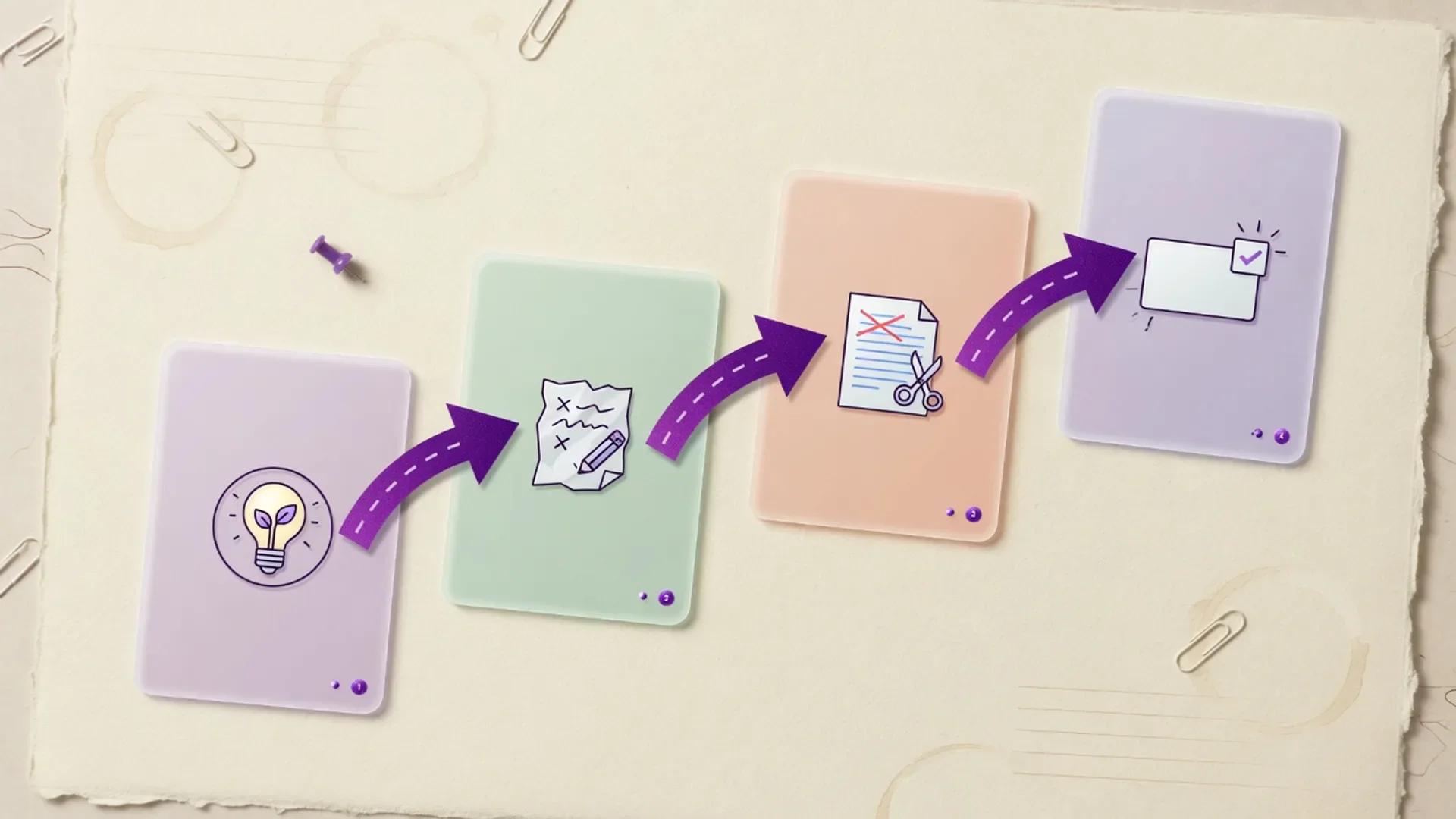
AI Content Marketing Pipeline
A human-led AI content marketing pipeline for turning audience evidence into cited, on-brand campaigns and measurable demand.
Design-to-Campaign AI Workflow
A practical multi-step workflow for turning visual concepts into full campaign packages—creative direction, copy variants, motion assets, and publish-ready channel kits—using real AI design and marketing tools with human brand and claims review.
Still deciding?
Browse more head-to-heads
Compare more tools side by side, or explore alternative shortlists.